Introduction
Leveraging automation in Magento 2 presents a strategic opportunity to enhance sales efficiency and boost revenue streams, especially within the sphere of UiR (Utrzymanie i Rozwój). Automation enables eCommerce platforms to streamline routine processes such as inventory management, customer segmentation, personalized marketing, and order fulfillment, reducing human error and operational costs. For decision-makers like CTOs, CDOs, and Heads of Applications, embracing automation translates into scalable, data-driven workflows that align with Magento 2’s modular architecture and Gate-Software’s robust maintenance frameworks.
Key technical challenges include integrating Magento 2’s automation tools with existing business systems while maintaining system performance and security standards. Gate-Software’s UiR service portfolio addresses these challenges by combining advanced monitoring, SLA commitments, and continuous UX/UI audits to ensure automated processes deliver measurable improvements in customer experience and conversion rates. The adoption of automation must be grounded in thorough business analysis and tailored strategies, preserving workflows’ adaptability to evolving market demands.
In summary, effective use of automation in Magento 2 under Gate-Software’s UiR approach empowers enterprises to optimize sales funnels, leverage personalized customer journeys, and maintain operational excellence. This ensures a resilient eCommerce environment that actively contributes to sustainable sales growth without compromising agility or compliance.

What You Will Learn
Understanding common mistakes in Magento 2 maintenance is crucial for ensuring the stability and efficiency of your eCommerce platform. Common issues often stem from improper update procedures, overlooking security patches, and neglecting system optimizations. Addressing these mistakes proactively helps prevent downtime and performance bottlenecks that can adversely affect the user experience and sales.
How to improve your eCommerce store performance involves adopting a comprehensive approach that includes optimizing server resources, fine-tuning Magento configurations, and implementing advanced caching strategies. Performance improvements not only enhance page load times but also contribute to better SEO rankings and customer satisfaction, directly impacting conversion rates.
Best practices for updates and security encompass a regular, planned update cycle aligned with Magento’s release schedule, thorough testing in staging environments, and the implementation of robust security protocols. Maintaining compliance with WCAG standards and leveraging professional monitoring tools ensures your store remains secure, accessible, and resilient against evolving threats.
Benefits of professional store management extend beyond technical maintenance to include strategic guidance tailored to your business objectives. Professional management ensures a seamless integration of UX/UI best practices, compliance with accessibility standards, and agile responsiveness to market changes, ultimately supporting sustained growth and operational excellence. Embracing these benefits allows your team to focus on core business functions while the technical intricacies are expertly handled.
TABLE OF CONTENTS
-
-
- How to Leverage Automation in Magento 2 for Sales Booster
- What You Will Learn
- Impact on eCommerce Performance
- Solutions and Best Practices
- Causes and Effects
- Process Efficiency and Data Management
- Common Threats
- Improving Store Security
- Performance and Security Impact
- Update and Optimization Methods
- Frequent Configuration Errors
- Effective Magento 2 Setup
- Identifying Threats
- Protection Methods
- When and How to Update Magento 2
- Pre-Update Checklists
- How Automation Supports SEO
- Best SEO Practices in Magento 2
- Benefits of Process Automation
- Automation Use Cases
- Case Studies
- Automation Variants and Methods
- Pros and Cons
- Choosing Automation
- Key Steps for Successful Automation
- Self-Use Checklists
- Common Pitfalls
- Error Examples
- Comparison with Other Platforms
- Alternative Solutions Evaluation
- Benefit Analysis
- Potential Risks and Prevention
- Data and Performance Metrics – Efficiency, SLA, TCO
- Summary
- FAQ
-

Impact on eCommerce Performance
In today’s rapidly evolving digital landscape, the performance of eCommerce platforms is paramount for success. A substantial portion of this performance hinges on user interface and experience (UiR). As decision-makers in organizations, such as CTOs, Heads of Applications, and eCommerce Managers, understanding the nuanced impact of UiR on eCommerce performance is essential. Poorly designed interfaces can deter potential customers, hinder sales conversions, and ultimately affect the bottom line. This discussion delves into how vital elements of UiR can enhance or impede eCommerce performance.
Firstly, the design and functionality of a website play a critical role in user satisfaction. An intuitive and user-friendly interface decreases bounce rates and encourages visitors to explore products or services. On the other hand, if a platform is cluttered and lacks logical navigation, users may abandon their shopping carts out of frustration. Subsequently, investment in professional UiR design becomes a strategic priority.
Another significant aspect of UiR that influences eCommerce performance is site speed. Research indicates that a mere second of delay in loading times can lead to a considerable decrease in conversions. Companies must ensure their websites and applications are optimized for speed without sacrificing the aesthetic appeal of the interface. This optimization often involves efficient coding practices, proper image compression, and the use of content delivery networks (CDNs). Both technical and design teams must collaborate closely to achieve optimal results.
Beyond page speed and design, ensuring accessibility is a critical component of UiR that shouldn’t be overlooked. An inclusive web design considers various disabilities and adjusts interfaces accordingly. This inclusiveness not only aligns with ethical standards but also widens the potential customer base. When customers with disabilities can navigate and complete transactions seamlessly, it enhances brand reputation and increases overall sales.
Furthermore, the mobile experience cannot be disregarded in the context of eCommerce performance. As mobile shopping continues to rise, businesses are increasingly expected to provide a seamless experience across all devices. UiR strategies should adapt to mobile interfaces, offering responsive design that maintains functionality and aesthetics on smaller screens. A robust mobile interface will cater to the growing number of users who prefer shopping through smartphones and tablets, thus improving overall reach and engagement.
A personalized experience is another vital element of effective UiR. Implementing features like personalized recommendations and tailored user experiences can significantly increase conversion rates. Decision-makers should prioritize tools that gather consumer data to inform these personalized experiences. By analyzing customer behavior, businesses can enhance their service offerings and create more engaging shopping environments.
The integration of advanced technologies such as artificial intelligence (AI) and machine learning can elevate the impact of UiR on eCommerce performance. These technologies can provide insights into user behavior patterns, helping businesses make informed design decisions. For instance, AI can personalize marketing campaigns based on user interactions, further driving conversions. As you refine your UiR efforts through technological innovations, the potential for improved performance and customer satisfaction multiplies.
Moreover, effective customer support interfaces, such as chatbots, are becoming increasingly important as part of the customer journey. A well-integrated customer service solution can greatly enhance user experience by providing real-time assistance. This immediate support can alleviate issues during the purchasing process, likely resulting in higher satisfaction and repeat business.
To summarize, the impact of UiR on eCommerce performance cannot be overstated. Invested resources in user-centric design, site speed, accessibility, mobile optimization, personalization, advanced technology integration, and customer support can yield substantial returns. As decision-makers in their respective roles, it is critical to continually assess and innovate your approach to UiR. By focusing on these integral aspects, businesses will enhance user experience, drive conversions, and ultimately achieve sustainable growth in the competitive eCommerce space.
Solutions and Best Practices
In the competitive landscape of eCommerce, optimizing your Magento store is essential for enhancing performance, improving user experience, and ultimately driving sales. Below are some insightful tips and best practices focused on automation, CSS cache management, and addressing disk space shortages.
Tips And Tricks To Automate Your Magento eCommerce Store
1. Leverage Magento’s Built-in Tools: Magento offers various automation features such as product import/export functionality. Use these tools to streamline inventory management and reduce the manual effort required for updates.
2. Automate Marketing Campaigns: Implement automated email marketing and customer segmentation. Tools like Magento’s integrated email platform can save time and provide tailored experiences for your customers, driving higher engagement rates.
3. Use Third-party Automation Extensions: Explore Magento marketplaces for extensions that automate specific tasks like order management, customer service chatbots, and reporting. These tools can help streamline operations and free up valuable resources.
4. Set Up Automated Backups: Ensure that you have a backup solution that automatically saves your store’s data at regular intervals. This practice mitigates the risk of data loss and enhances your disaster recovery strategy.
5. Implement Workflow Automation: Utilize tools such as Zapier or Integromat to connect different applications used in your eCommerce ecosystem, facilitating smoother workflows. This can significantly reduce the time spent on repetitive tasks.
How to Effectively Manage CSS Cache with Automation
Managing CSS cache efficiently is crucial for ensuring your Magento store loads quickly and runs smoothly. Here are some best practices to automate this process:
1. Use Static Content Deployment: Magento supports a static content deployment feature that allows you to compile your CSS, JavaScript, and other static assets. Automate the deployment process using cron jobs to keep your content fresh.
2. Versioning CSS Files: Implement version control in your CSS files. By automatically appending a version number or hash to your CSS file links, browsers will fetch the updated styles instead of relying on outdated cached versions.
3. Clear Cache with Cron Jobs: Set up cron jobs that regularly clear your CSS cache. This practice not only helps in reflecting the latest changes but also prevents old cached versions from affecting user experience.
4. Utilize Caching Strategies: Smart caching strategies, such as leveraging Varnish or Redis, can significantly enhance CSS delivery speed. Automate cache warming techniques to ensure critical assets are always ready for users.
Disk Space Shortage
Running out of disk space can severely impact your Magento store’s performance and reliability. Here are some strategies to combat disk space shortages:
1. Regular Clean-up Automations: Schedule automated tasks to regularly delete unused products, images, and outdated orders. This cleanup process can help in reclaiming valuable disk space.
2. Optimize Image Storage: Automate the process of compressing and resizing images before uploading them to your store. Using tools or extensions that streamline image optimization will save space while maintaining quality.
3. Cloud Storage Solutions: Integrate cloud storage services for media assets and backups. Automating the transfer of large files to the cloud can free up local storage space, ensuring your Magento store operates efficiently.
4. Monitor Disk Usage Regularly: Implement automated monitoring tools that alert you when disk usage approaches critical levels. Early detection is key to preventing performance issues related to disk space shortages.
By following these solutions and best practices, decision-makers can ensure their Magento eCommerce store operates smoothly, efficiently, and remains competitive in a dynamic online marketplace.

Causes and Effects
In the context of UiR services, understanding the causes and effects of technical challenges such as disk space bottlenecks in Magento 2 and the importance of automation for eCommerce stores in managing data is crucial for decision-makers like CTOs and Heads of Applications.
Disk space bottlenecks in Magento 2 often arise due to inefficient data storage management, including logs, cache, backups, and media files that grow over time without proper optimization. These bottlenecks directly impact system performance, causing slower loading times, increased downtime risks, and degradations in user experience. For an eCommerce store, this translates into potential revenue loss and diminished customer satisfaction. Therefore, identifying disk space bottlenecks in Magento 2 early is essential for maintaining optimal platform performance and scaling effectively.
Moreover, the importance of automation for eCommerce stores in managing data cannot be overstated. Automated processes enable consistent monitoring, data cleansing, and archival, which reduce human error and operational costs. Automation tools help maintain system health by scheduling backups, purging obsolete data, and optimizing storage resources proactively. By integrating automation, businesses can ensure compliance with performance standards and WCAG 1.1 accessibility without compromising on speed or reliability. This ultimately supports sustained growth and streamlined operations.
Together, addressing disk space bottlenecks and embracing automation empowers eCommerce platforms to deliver robust, scalable, and user-friendly experiences, fully aligning with Gate-Software’s strategy for UiR excellence.
Process Efficiency and Data Management
Automating cleanup and storage allocation
In the context of UiR, automating cleanup and storage allocation is crucial to maintaining system performance and cost efficiency. Gate-Software leverages advanced automation tools to streamline data lifecycle management, ensuring that obsolete or redundant data is systematically cleaned without manual intervention. This approach not only optimizes storage utilization but also reduces operational overhead and risks associated with data clutter. Effective cleanup processes are integrated with storage allocation strategies that dynamically adjust resource distribution based on real-time system demands. By implementing such automation, organizations can achieve greater process efficiency while maintaining compliance with data governance policies. This aligns with the need for optimized workflows in e-commerce and B2B platforms, ensuring that Magento and related systems operate smoothly, thus supporting uninterrupted business continuity.
Automating Tasks in Magento 2 with CLI Scripts
Magento 2 CLI scripts serve as a powerful method for automating routine administrative and maintenance tasks, contributing significantly to process efficiency within UiR-focused environments. These scripts allow for streamlined execution of complex operations such as cache management, indexer refreshing, and deployment automation. By automating these tasks, organizations can reduce human error and accelerate response times to operational demands, enhancing overall system reliability. Gate-Software’s expertise includes creating customized CLI scripts tailored to specific client needs, which embed best practices in automation while aligning with security standards. This automation framework supports seamless integration within existing workflows and promotes scalability. Additionally, utilizing CLI scripts reduces dependency on manual interventions, freeing up technical resources to focus on strategic initiatives and innovation.
Security Concerns
Security remains a paramount consideration when automating process efficiency and data management in UiR environments. Automation must be designed with stringent access controls, auditability, and compliance mechanisms to prevent unauthorized manipulations and data breaches. Gate-Software emphasizes integrating security checkpoints into all automated workflows, including cleanup and task execution scripts, to safeguard both operational integrity and sensitive data assets. This includes enforcing role-based permissions, using secure credential management, and employing continuous monitoring to detect anomalous activities. Furthermore, the company adheres to established WCAG 1.1 and UX/UI standards ensuring that security features are user-friendly and accessible, reducing the risk of configuration errors. The comprehensive security approach guarantees that automation contributes positively to both process efficiency and the overall security posture, aligning with the strategic priorities of CTOs, Heads of Applications, and eCommerce Managers.

Common Threats
Vulnerabilities typical for Magento 2 stores
Magento 2 stores face a range of vulnerabilities that can compromise security and impact business continuity. Common threats include SQL Injection, where attackers exploit database query weaknesses to gain unauthorized access or manipulate data. Cross-Site Scripting (XSS) is another significant issue, enabling attackers to inject malicious scripts into the site, potentially stealing user data or session information. Cross-Site Request Forgery (CSRF) attacks trick authenticated users into executing unwanted actions, posing risks to transactional integrity. Remote Code Execution vulnerabilities allow attackers to run malicious commands on the server, leading to full system compromise. Insecure file permissions may expose sensitive data to unauthorized users, while the use of insecure or outdated third-party extensions increases the attack surface. Moreover, failure to keep Magento and its components updated leaves stores exposed to publicly known exploits. Denial of Service (DoS) attacks aimed at overwhelming server resources can also disrupt store availability. Understanding these vulnerabilities is critical for implementing effective countermeasures and protecting customer data, transaction security, and brand reputation.
Why You Need Magento Automation? for enhanced security
Implementing Magento Automation is essential to address the complex security challenges faced by Magento 2 stores. Automation ensures consistent application of security policies and patches, reducing the chances of human error and oversight. It enables rapid identification and remediation of vulnerabilities, minimizing the window in which attackers can exploit weaknesses. Automated update mechanisms guarantee timely installation of Magento core and extension security patches, which is crucial for defending against emerging threats. Continuous security monitoring and real-time alerts facilitated by automation help detect suspicious activities early, allowing proactive responses. Additionally, automation supports compliance with industry standards and regulatory requirements related to data protection and cybersecurity. By streamlining backup and recovery processes, it enhances resilience against data loss or ransomware attacks. Overall, Magento Automation optimizes resource use, enabling technical teams to focus on strategic initiatives while maintaining robust security postures necessary to protect sensitive customer information and ensure secure e-commerce operations.

Improving Store Security
Integrating Automation with HubSpot CRM for monitoring
Integrating automation with HubSpot CRM for monitoring enhances store security by enabling real-time tracking of user activities, system alerts, and anomaly detection. This integration allows security teams and eCommerce managers to have centralized visibility into critical security events and customer interactions, which is vital for proactive threat identification and response. Automation workflows in HubSpot can be configured to trigger alerts or protective actions when suspicious activities are detected. Using such real-time monitoring empowers organizations to swiftly mitigate potential breaches, enforce compliance requirements, and maintain data integrity. Ensuring consistent updates and secure API connections between the store platform and HubSpot CRM also reduces vulnerabilities that could arise from integration points.
Best security practices using automation
Best security practices using automation involve applying continuous vulnerability scanning, patch management, and access controls within automated workflows. Automating routine security checks reduces human error and accelerates response times, which is critical for maintaining compliance with standards such as WCAG and PCI DSS. Approaches like automated user access reviews, multi-factor authentication enforcement, and behavioral anomaly detection via AI-powered tools contribute to strengthening defenses against cyber threats. Additionally, automated documentation and reporting ensure traceability and enable rapid audits, supporting overall governance frameworks. By embedding automation deeply into security operations, teams can maintain a resilient posture against evolving risks, optimize operational costs, and ensure the integrity of the e-commerce platform.
Outdated Software
Outdated software remains one of the most significant risks to store security, as unpatched vulnerabilities serve as entry points for attackers. Organizations must implement automated systems for software version tracking and patch deployment, ensuring that Magento platforms and other critical components are always up-to-date. Failure to address legacy software versions can lead to compatibility issues with security protocols and reduce the effectiveness of monitoring tools. Automation helps by scheduling routine checks and prioritizing updates according to risk severity, reducing exposure windows. In the UiR context, emphasizing continuous modernization alongside automation is essential to safeguard sensitive data, maintain uptime, and comply with both internal policies and external regulations.

Performance and Security Impact
Outdated Magento 2 versions pose significant risks to both the performance and security of e-commerce platforms. Running legacy systems often results in slower response times and increased downtime, directly impacting user experience and conversion rates. For decision-makers such as CTOs and Heads of Applications, ensuring optimal performance is critical to maintaining competitive edge. Old Magento versions typically lack the latest performance improvements and security patches, leaving stores vulnerable to breaches and exploits that can jeopardize customer data and compliance with regulations. This challenge is particularly acute in the context of Magento eCommerce platform maintenance, where unpatched vulnerabilities can escalate into costly security incidents.
Moreover, Magento 2 automation guides for seamless store management highlight the importance of timely updates to preserve system integrity. Automation helps to streamline update processes, reducing human error and operational burden. Implementing automated workflows for Magento 2 upgrades ensures continuous delivery of security patches and performance enhancements without disrupting business continuity. This approach supports Gate-Software’s commitment to robust MagentoOneS™ hosting and monitoring, enabling proactive identification of potential vulnerabilities and timely remediation aligned with WCAG accessibility standards and UX/UI audits. Effectively, a strategic investment in Magento 2 automation and update management translates into enhanced security posture and optimized performance, essential for sustaining scalable and reliable e-commerce operations.

Update and Optimization Methods
Update and optimization in UiR contexts demand a strategic approach that ensures system robustness and peak performance. A pivotal aspect is addressing configuration problems inherent in complex environments, where integration and customization layers often expose latent vulnerabilities. For e-commerce platforms, maintaining compliance with standards such as WCAG is critical, as is ensuring seamless UX/UI updates that align with evolving user expectations and accessibility requirements.
Effective updates should integrate automated testing and patching processes to minimize downtime and operational risks. Leveraging Magento 2 CRM integration can enable sales booster capabilities by streamlining customer data flows and automating marketing triggers—elements essential to enhancing conversion rates and customer loyalty. Automating routine updates and patches reduces human error and increases system reliability, allowing teams to focus on strategic initiatives.
Furthermore, constant monitoring of hosting environments paired with a responsive SLA model supports proactive incident management. Gate-Software’s approach to migration and cost optimization underpins sustained business agility, enabling clients to adapt rapidly to market shifts without sacrificing stability or security.
Overall, the coordination of systematic updates, strict adherence to UX standards, and integration with CRM platforms form a comprehensive method to enhance system performance and user engagement in UiR-driven projects. This approach mitigates typical configuration problems while leveraging automation for business growth.
Impact on eCommerce Performance 🔄 ⚙️ 📈
Testing Strategies
Incorporating rigorous automated and manual testing methods ensures that updates do not disrupt existing functionalities and help identify potential integration conflicts ahead of deployment.
Monitoring and Feedback
Continuous performance monitoring combined with user feedback loops provides actionable insights that guide iterative optimization and help maintain alignment with business goals.

Frequent Configuration Errors
In the realm of UiR services, frequent configuration errors often stem from misaligned system settings that fail to support the complex needs of B2B and e-commerce platforms like Magento. Common Magento 2 setup mistakes include incorrect configuration of user roles and permissions, which can expose sensitive data or restrict necessary access, directly impacting operational efficiency and security compliance. Another critical area prone to error is the misconfiguration of payment gateways and shipping methods, which can lead to failed transactions or incorrect order fulfillment, negatively affecting customer satisfaction and sales metrics.
Driving Sales with Magento Marketing Automation | Tips & Strategies requires seamless integration between marketing tools and core Magento configurations. Often, automations fail due to incorrect setup of workflows or triggers, resulting in missed customer engagement opportunities and suboptimal campaign performance. Ensuring accurate data synchronization and testing of automation rules is essential to capitalize on personalized marketing efforts and to maintain high conversion rates.
Addressing these frequent configuration errors demands a strategic approach that aligns technical settings with business goals. Leveraging expert audits and continuous monitoring, as emphasized in Gate-Software’s UiR solutions, helps detect and rectify configuration mismatches early. This proactive stance not only mitigates risks but also unleashes the full potential of Magento’s robust marketing and operational capabilities, driving sustained growth and enhanced user experience. Integrating these practices with the company’s commitment to WCAG compliance and UX/UI excellence further solidifies the platform’s accessibility and usability, critical factors in digital success.
Effective Magento 2 Setup
Using automation to streamline configuration
Efficient Magento 2 setup requires leveraging automation to optimize configuration processes. Automation reduces manual errors and accelerates deployment, ensuring that settings align precisely with business goals and technical requirements. For UiR environments, leveraging automated scripts and configuration management tools can simplify complex workflows and improve repeatability. Automation also plays a crucial role in maintaining compliance with WCAG standards and UX/UI guidelines, enabling consistent user experiences across platforms. This approach minimizes downtime and supports continuous integration, which is essential for dynamic eCommerce platforms requiring frequent updates and optimizations.
Magento: Overview And Key Automation Features applied to setup
Magento 2 offers a robust framework equipped with automation features tailored to the needs of eCommerce and B2B platforms. These include automated caching, indexing, and deployment pipelines that streamline routine maintenance tasks. The system supports modular configuration, enabling selective activation of features based on project requirements. For UiR applications, Magento’s automation capabilities facilitate seamless integration with external services and APIs, enhancing functionality without compromising performance or security. Gate-Software’s expertise in implementing these automated setups ensures adherence to strategic plans related to marketing and platform stability while optimizing costs and uptime.
Technical Threats
When configuring Magento 2, it is critical to address technical threats that might arise from incorrect or incomplete automation setups. Vulnerabilities may emerge if automation scripts are not properly secured or if update mechanisms bypass essential testing stages. In UiR service contexts, safeguarding against data breaches, ensuring encrypted communications, and maintaining system integrity through controlled automation flows are paramount. Monitoring tools integrated within the Magento environment provide real-time alerts on suspicious activities, enabling proactive threat mitigation. This thorough approach to technical threat management supports operational continuity and compliance with industry security standards.

Identifying Threats
Technical challenges threatening Magento 2 stores create significant risks for sustained eCommerce performance and business growth. These challenges include maintaining platform stability amidst frequent feature updates and security patches, ensuring seamless integration with third-party systems, and managing increasing demands on server infrastructure. Magento stores often confront performance bottlenecks due to insufficient hosting optimization, leading to slower page loads that directly impact user experience and conversion rates. Additionally, adherence to UX/UI standards and WCAG requirements is critical to avoid legal complications and to ensure accessibility, which is a growing priority for stakeholders and users alike.
Why You Need Magento Automation? for defense
Magento Automation acts as a vital defense mechanism against these technical threats by enabling consistent monitoring, rapid deployment of updates, and proactive issue resolution. Automation streamlines routine maintenance tasks such as backups, security audits, and performance tuning, reducing human error and freeing up resources for strategic initiatives. Automated testing frameworks ensure that new features and patches do not introduce regressions, preserving system integrity. Moreover, Magento Automation supports scalable infrastructure management, allowing quick adaptation to traffic fluctuations and minimizing downtime risks. For Magento 2 stores, integrating automation translates directly into higher operational resilience, cost efficiency, and a better ability to sustain competitive advantage in an evolving eCommerce landscape. The integration of Magento Automation is essential to maintaining alignment with business goals while mitigating technical vulnerabilities inherent in complex digital commerce environments.

Protection Methods
Effective protection methods in the context of UiR must prioritize automation and seamless store management to mitigate risks and ensure operational continuity. Integrating Automation with HubSpot CRM for proactive measures enables real-time monitoring and rapid response to potential threats, enhancing overall security posture. This proactive approach supports identifying vulnerabilities early, streamlining task management, and maintaining high standards of compliance and user experience.
Equally essential are Magento 2 Automation Guide for Seamless Store Management strategies, which offer robust frameworks for securing e-commerce platforms while optimizing performance. Implementing automated workflows within Magento 2 reduces human error, ensures timely updates, and strengthens data protection. These strategies are crucial to uphold system integrity and provide uninterrupted service, especially under complex B2B and e-commerce environments.
By combining these automation tools and methods, businesses can achieve a resilient protection system that aligns with Gate-Software’s secure infrastructure principles, balancing technical robustness with user-centric design considerations. This blend supports compliance with WCAG and UX/UI standards, reflecting a holistic approach to protection that empowers decision-makers to maintain service reliability and safeguard critical assets efficiently.

When and How to Update Magento 2
Updating Magento 2 requires careful planning and precise execution to maintain store stability and performance. The best timing for Magento 2 updates typically aligns with scheduled maintenance windows, avoiding peak sales periods to minimize disruption to customers and business operations. Planning updates during low traffic times ensures smoother deployment and reduces the risk of lost revenue.
Methods for updating Magento 2 often involve Composer-based upgrades, which provide a controlled environment for dependency management and version control. Before initiating any update, ensure all backups—including files and databases—are complete and verified. Compatibility checks are essential; confirm that any custom modules or third-party integrations support the new Magento version to prevent conflicts.
Automation plays a critical role during Magento 2 updates. Implementing automated deployment pipelines with continuous integration (CI) tools allows for error reduction, faster rollouts, and increased reliability. Automation not only speeds up the update process but also enables repeatable and consistent execution, increasing system uptime. Moreover, automated testing and monitoring workflows help detect potential issues early, enabling proactive maintenance.
For eCommerce stores, the importance of automation during updates cannot be overstated. It ensures minimal downtime, preserves the user experience, and supports compliance with security standards, such as those outlined in WCAG 1.1. Using tools and best practices from Gate-Software’s UiR service portfolio facilitates streamlined, compliant updates aligned with business goals and technical constraints.
In summary, the most effective approach to Magento 2 updates combines well-timed scheduling, rigorous preparation, and comprehensive automation, ensuring that both business continuity and technical excellence are maintained throughout the update lifecycle.

Pre-Update Checklists
Checklist for smooth Magento 2 updates
Preparing for Magento 2 updates requires meticulous planning and thorough verification to ensure uninterrupted platform performance and security. A comprehensive checklist should start with a full backup of the current system including databases and codebase to safeguard against data loss during the update process. Next, compatibility checks for all third-party extensions and custom modules must be performed to prevent conflicts that could destabilize the system. Reviewing and updating the Magento 2 environment to meet version-specific server requirements, such as PHP versions and database compatibility, is critical. This also includes ensuring that all security patches are applied prior to the update to maintain compliance with the latest standards. Additionally, assessing the platform’s performance metrics before the update helps in benchmarking and identifying any post-update regressions. Engaging key technical stakeholders, including the Architect and Head of Applications, early in the process ensures that the update aligns with broader IT strategy and operational continuity goals. The checklist concludes with validation of staging environment tests that replicate the live environment for comprehensive QA verification. Adhering to this checklist minimizes risks and sustains the effectiveness of business operations through every Magento 2 update.
Automating update tasks with CLI Scripts
Automating Magento 2 update tasks using CLI scripts significantly increases efficiency and reduces human error during the update process. CLI automation can handle repetitive tasks such as cache cleaning, reindexing, and deployment mode switching which are crucial during updates but often overlooked or inconsistently executed in manual processes. Scripts enable precise control over the sequence of actions and provide logs for audit trails and troubleshooting, ensuring transparency and accountability. Moreover, automation supports consistency across environments, from development through staging to production, which is essential for maintaining compliance with defined ux/ui standards and WCAG 1.1 accessibility guidelines. Leveraging CLI tools also facilitates integration with continuous integration/continuous deployment (CI/CD) pipelines, optimizing update cycles and reducing downtime. Given the strategic importance of Magento 2 platforms for e-commerce and B2B operations, implementing robust CLI-based automation aligns with Gate-Software’s approach to optimizing system reliability and scalability. The automation strategy must be regularly reviewed and refined to incorporate updates in the Magento framework and evolving security protocols, ensuring sustained operational excellence and business continuity.
How Automation Supports SEO
Automation plays a critical role in enhancing SEO performance, especially within the context of UiR-related e-commerce platforms like Magento. By streamlining repetitive and data-intensive tasks, automation enables more efficient management of SEO elements, which directly improves organic search rankings and user experience.
Automation helps to maintain consistent implementation of SEO best practices such as meta tags, structured data, URL optimization, and content updates across thousands of product pages on Magento 2. This level of consistency would be difficult to achieve manually, leading to improved visibility and higher indexing quality by search engines.
Additionally, automation supports dynamic content personalization and segmentation, crucial for responsive and user-centric SEO strategies. Tools integrated into Magento marketing automation allow businesses to adjust content and promotions based on user behavior patterns, which increases engagement metrics valued by search engines.
From a technical perspective, automation facilitates real-time monitoring of SEO KPIs, error detection (like broken links or duplicate content), and compliance with web standards such as WCAG. This proactive approach ensures that SEO health is maintained continuously, reducing risks that may impact organic rankings.
Gate-Software’s solutions tailored for UiR leverage these automation capabilities to optimize the technical infrastructure, enhance site performance, and implement advanced analytics. This integrated approach leads to measurable improvements in Magento SEO effectiveness, ultimately driving sales growth through increased organic traffic and conversion rates. Incorporating automation into Magento marketing automation strategies empowers decision-makers to focus on strategic initiatives while ensuring operational SEO excellence.
Best SEO Practices in Magento 2
- Tips And Tricks To Automate Your Magento eCommerce Store SEO
- Magento 2 Webhooks & Automation: Detailed Guide & Top Solutions
How Automation Impacts Performance
Optimizing SEO in Magento 2 is crucial for maximizing the visibility and performance of UiR-related e-commerce platforms. Effective Tips And Tricks To Automate Your Magento eCommerce Store SEO involve implementing structured data, optimizing site speed, and ensuring mobile responsiveness. Automation tools and Magento 2’s capabilities can streamline routine SEO tasks such as meta tag management, URL rewriting, and sitemap generation. This reduces manual errors and keeps content consistently optimized for search engines.
Magento 2 Webhooks & Automation provide a powerful framework to integrate real-time data updates from product changes, pricing adjustments, or inventory updates, directly influencing SEO-related elements dynamically. Leveraging webhooks allows seamless communication between Magento 2 and external systems or custom automation processes, ensuring that SEO data remains accurate and timely.
How Automation Impacts Performance reflects directly on search engine rankings and user experience. Automated SEO not only improves indexing efficiency but also helps maintain compliance with evolving WCAG standards and UX/UI best practices vital for the UiR context. This ensures your Magento 2 store remains both discoverable and accessible, delivering enhanced engagement and conversion rates domestically and internationally. Integrating automation thoughtfully reduces operational overhead, allowing your technical teams to focus on strategic improvements rather than routine maintenance.
Benefits of Process Automation
Process automation in UiR (User Interface and Reporting) environments offers substantial advantages that directly impact the efficiency and scalability of e-commerce platforms and B2B operations. Automation reduces manual interventions, which minimizes human error and accelerates workflows, resulting in faster response times and improved process consistency. For organizations managing complex Magento platforms, automated processes streamline routine tasks such as data synchronization, user access controls, and reporting accuracy, freeing technical teams to focus on strategic initiatives.
Sales Booster: Leveraging Automation with Magento 2 CRM Integration
Integrating Magento 2 with a CRM system through automation elevates sales processes by ensuring seamless data flow and real-time customer insights. This integration enables personalized marketing campaigns, timely follow-up actions, and enhanced lead management, which collectively drive revenue growth. Automation aligns Magento 2 operations with CRM capabilities, facilitating better customer segmentation, behavioral tracking, and reporting. For decision-makers focusing on UiR, this means more precise control over user interfaces and data reporting tools, enhancing customer experience and operational agility.
Why You Need Magento Automation? for store efficiency
Implementing Magento automation is essential for optimizing store efficiency by automating inventory management, order processing, and customer service interactions. Automated workflows reduce operational bottlenecks, enable quicker fulfillment cycles, and improve accuracy in order handling. This efficiency not only reduces costs but also supports scalability by handling increased transaction volumes without compromising service quality. For heads of applications and CTOs, Magento automation is a strategic enabler that aligns IT capabilities with business objectives, delivering measurable improvements in platform performance and customer satisfaction.
Automation Use Cases
Case studies of Automation with HubSpot CRM integration
In modern UiR service environments, integrating HubSpot CRM automation plays a critical role in streamlining customer relationship management processes. Leveraging automation in HubSpot CRM allows enterprises to enhance lead nurturing, optimize sales pipelines, and improve customer data synchronization across platforms. Case studies within Gate-Software demonstrate how automation can reduce manual interventions, enabling teams to focus on strategic activities rather than repetitive tasks. The integration supports real-time data updates, facilitating efficient follow-ups and personalized communication tailored to customer behavior. Implementing HubSpot CRM automation aligns with Gate-Software’s commitment to usability and responsiveness, ensuring that the CRM is not just a database but a dynamic tool that drives business growth while maintaining compliance with WCAG standards and UX/UI best practices.
Automating Tasks in Magento 2 with CLI Scripts for performance gains
Magento 2 platforms benefit significantly from automation through command-line interface (CLI) scripts, which address maintenance, deployment, and operational tasks efficiently. Automating routine tasks such as cache management, reindexing, and database cleanup via CLI scripts helps optimize platform performance and reduce downtime, directly impacting end-user experience. This approach supports Gate-Software’s strategy on cost optimization and enhances platform reliability under different load conditions. Automation in Magento 2 leverages scripting to execute pre-defined workflows without human intervention, thus minimizing errors and accelerating response times. These enhancements are crucial for sustaining high performance in e-commerce environments where uptime and speed govern customer satisfaction and profitability, perfectly matching the values and business goals defined by Gate-Software for UiR services.
Effective Magento 2 Automation Examples
Effective automation in Magento 2 encompasses a range of solutions from scripted workflows to integrated services that exemplify Gate-Software’s expert approach to platform management. Automation examples include syncing inventory data via APIs, automated report generation for better decision-making, and real-time monitoring integrations that trigger alerts based on system health metrics. These practices not only improve operational efficiency but also support strategic marketing and communication plans by providing actionable insights. Integrating automation with Magento 2 at Gate-Software respects the technical complexities of e-commerce architectures, focusing on scalability and user experience improvements. Utilizing automation tools aligns with social media and content strategies by freeing up human resources to concentrate on creative and analytical tasks while maintaining robust performance and security standards pivotal to MagentoOneS™ environments. Through these examples, Gate-Software underscores the continuous evolution towards a seamless digital customer journey empowered by automation.

Case Studies
In the realm of UiR services, practical implementations of Magento 2 automation have demonstrated significant improvements in operational efficiency and user engagement. Real-world examples of Magento 2 automation success highlight how intelligent automation workflows can streamline backend processes, reduce manual errors, and accelerate order processing times. These cases illustrate the critical role of integrating robust automation frameworks with core Magento functionalities, ensuring seamless scalability and adaptability to evolving business needs.
Moreover, the Magento 2 Automation Guide for Seamless Store Management outlines key strategies for maintaining high availability and performance while minimizing downtime. Through standardized automation protocols, businesses have achieved consistent updates and deployments, improving overall store management. These improvements directly support efforts in cost optimization and enhance user experience, aligning perfectly with the requirements specified in WCAG and UX/UI guidelines. Leveraging these approaches enables decision-makers like CTOs and Heads of Applications to sustain competitive edge and meet strict SLA commitments effectively.
By focusing on tailored automation solutions within the Magento ecosystem, these case studies underscore the practical benefits of combining technical excellence with strategic UiR objectives, driving digital transformation and robust eCommerce growth.
Automation Variants and Methods
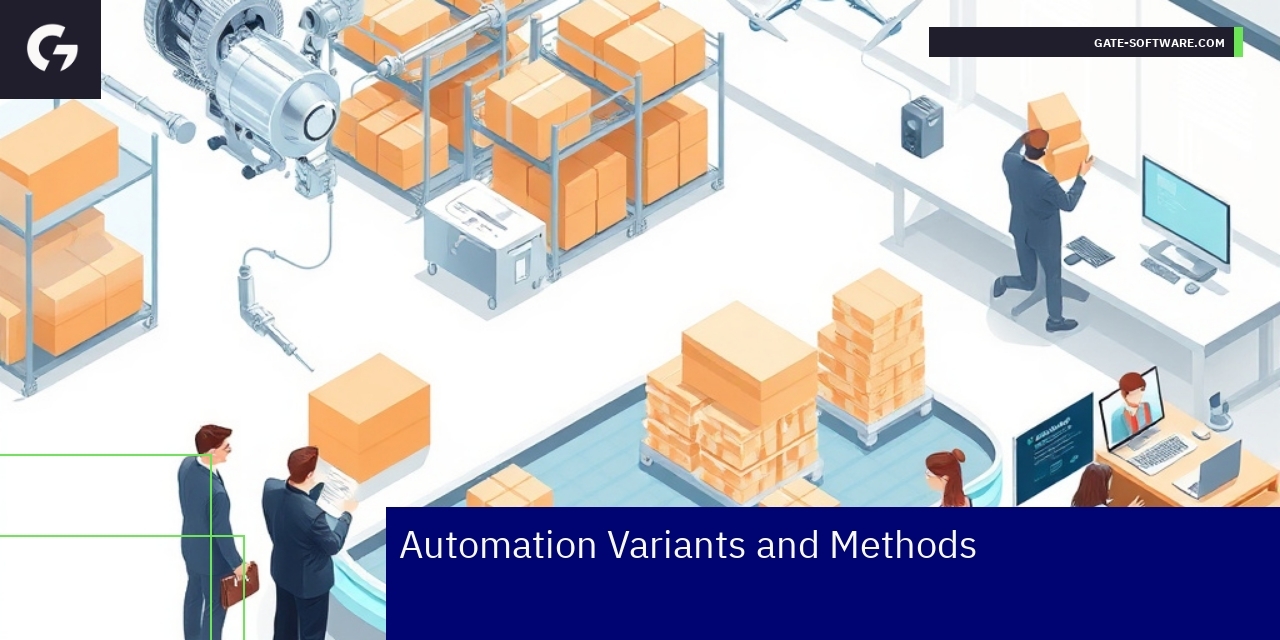
In UiR-focused eCommerce environments, particularly those utilizing Magento platforms, automation plays a critical role in streamlining operations and enhancing efficiency. The variants and methods of automation encompass a range of technologies and practices designed to reduce manual intervention, improve accuracy, and accelerate process flows.
A primary automation variant involves integrating Magento 2 Webhooks & Automation tools, which serve as event-driven triggers to handle real-time updates across systems. This method enables seamless synchronization between order management, inventory control, and external services without human delay. Employing Magento 2 Webhooks & Automation: Detailed Guide & Top Solutions is especially important for maintaining dynamic and scalable eCommerce stores.
Additionally, the use of bespoke scripts and APIs tailored to specific business workflows constitutes another common automation method. These solutions can automate repetitive tasks like product data updates, customer communication, and transactional notifications while aligning with internal compliance and operational standards. Tips And Tricks To Automate Your Magento eCommerce Store highlight the necessity of both modularity and reliability in such methods to avoid disruptions.
The approach to automation must also consider the balance between automation and manual management. Advanced automation variants enable routine and predictable tasks to be handled automatically, freeing up human resources for exception handling and strategic decision-making. This balance is crucial for maintaining system integrity, reducing error rates, and enhancing the overall customer experience.
In summary, deploying well-structured automation variants and methods based on Magento 2 Webhooks, APIs, and custom scripts integrates the operational needs of an eCommerce platform with the strategic objectives of scalability and efficiency. Leveraging Tips And Tricks To Automate Your Magento eCommerce Store ensures that technical choices support business goals while addressing the unique challenges within the UiR service context.

Pros and Cons
When considering UiR services, it is essential to weigh the advantages and disadvantages carefully to align technology solutions with strategic business goals effectively.
Pros include increased efficiency and precision in managing complex user interfaces and integrations, particularly within e-commerce platforms like Magento. Automation inherent in UiR services supports consistent UX/UI standards, including compliance with WCAG 1.1, which is vital for accessibility and regulatory adherence. Integration with Gate-Software solutions facilitates seamless migration, monitoring, and cost optimization across platforms, reducing downtime and enhancing performance. Moreover, leveraging personas such as the Architect, eCommerce Manager, and CTO ensures that technical and user requirements are holistically addressed, strengthening project outcomes and customer satisfaction.
On the other hand, challenges may arise around the initial setup complexity and the need for specialized expertise to manage UiR-driven projects effectively. There is often a steep learning curve related to integrating automated processes with existing legacy systems, which can delay deployment timelines. Additionally, while automation improves consistency, it may reduce flexibility in handling unique, one-off customization requirements unless properly configured. Careful ongoing management is needed to maintain the balance between automation advantages and preserving the nuanced, personalized user experience expected in e-commerce environments.
Understanding these pros and cons supports making informed decisions about deploying UiR technologies, balancing operational gains with the strategic need for agility and exceptional UX/UI quality in Magento marketing automation contexts. By focusing on benefits of automation vs. manual processes, companies can drive sales with Magento Marketing Automation | Tips & Strategies more successfully.

Choosing Automation
When automation is the right choice
Automation becomes essential when dealing with repetitive and time-consuming tasks within UiR platforms, especially in complex e-commerce environments like Magento. It is particularly beneficial when scalability and consistency in operations are prioritized. Automation helps reduce human error, accelerates workflows, and supports compliance with WCAG accessibility standards by enforcing consistent UI/UX rules automatically. Key decision-makers such as CTOs and Heads of Applications often seek automation to optimize resource allocation, reduce costs linked to manual interventions, and improve system uptime. The choice to automate should align with strategic goals for platform reliability, user experience, and development agility, ensuring that processes such as monitoring, hosting, and SLA adherence are streamlined without compromising security or customization flexibility.
Why You Need Magento Automation? explained
Magento Automation addresses several critical challenges in maintaining and evolving e-commerce platforms. It minimizes operational overhead by automating routine updates, testing, and deployment, which is crucial for meeting fast-changing market demands and ensuring high availability. Automated workflows increase efficiency in managing product catalogs, pricing, promotions, and customer data handling, all while maintaining compliance with UX/UI and WCAG 1.1 standards. From an eCommerce Manager’s perspective, Magento Automation enables faster go-to-market strategies and supports data-driven decision-making by integrating analytics and monitoring tools seamlessly. Additionally, automation reinforces Gate-Software’s approach to sustainable platform management, ensuring robust performance, enhancing security measures, and enabling responsive scaling as business needs evolve.
Automation Implementation Checklists
To implement automation effectively, start with a comprehensive assessment of existing processes to identify repeatable tasks ripe for automation. Define clear automation goals aligned with business objectives such as reducing downtimes or enhancing user experience. Select tools and technologies compatible with MagentoOneS™ and ensure they support integration with monitoring and hosting systems. Develop automation scripts that follow best practices in coding and security, and perform rigorous testing including UX/UI audits to verify accessibility and performance standards. Establish continuous monitoring and feedback loops for ongoing improvements and SLA compliance. Train relevant teams on automation maintenance and updates, fostering a culture of continuous learning. By adhering to these steps, CTOs and Heads of Applications can unlock the full potential of Magento Automation while ensuring sustainable operational excellence.
Key Steps for Successful Automation
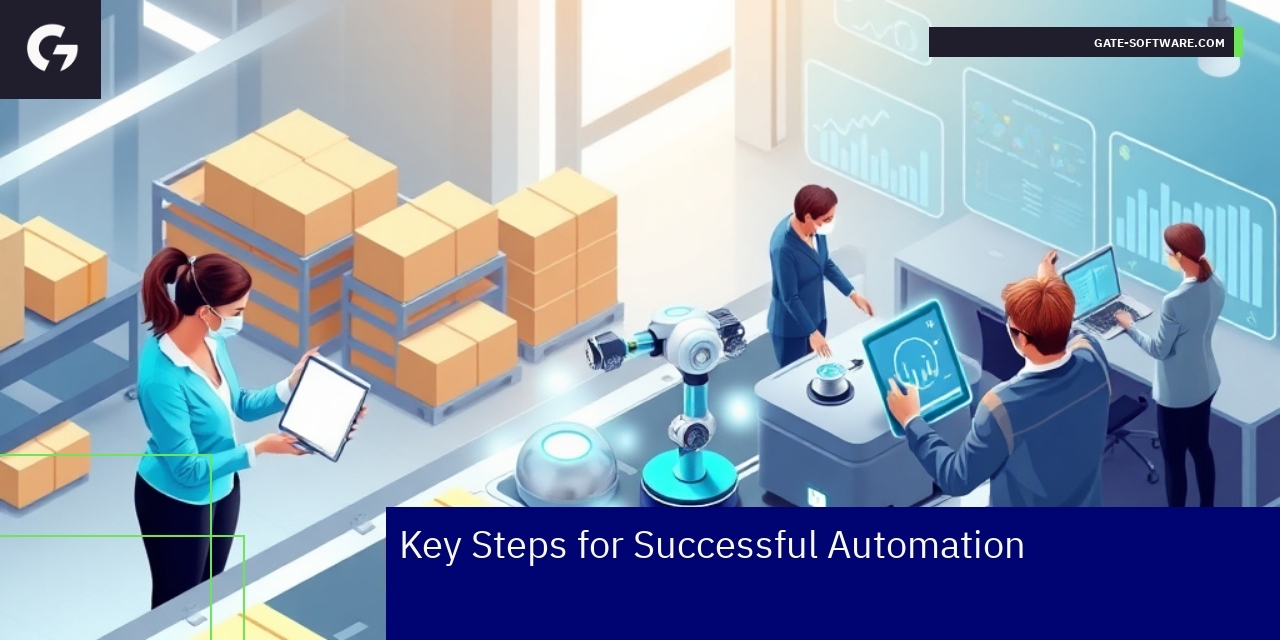
Successful automation in the UiR service context requires a strategic, methodical approach focused on enhancing Magento 2 store management through tailored automation techniques. The foundation lies in leveraging the Magento 2 Automation Guide for Seamless Store Management, which provides critical insights into streamlining backend processes while ensuring a consistent and optimized user experience.
To begin, integrate robust automation frameworks that align tightly with your store’s existing architecture, ensuring compatibility and scalability. Utilize automation to handle routine tasks such as inventory updates, order processing, and customer service workflows to free up human resources for more strategic initiatives. Next, focus on continuous monitoring and adjustment, employing real-time analytics to detect bottlenecks or inefficiencies that automation can resolve swiftly.
Incorporating Tips And Tricks To Automate Your Magento eCommerce Store emphasizes the importance of smart rule-based triggers and event-driven automation. These tactics help in proactively managing flash sales, restocking alerts, and personalized customer experiences that boost conversion rates. Moreover, maintaining compliance with UX/UI and WCAG standards during automation is essential to preserve platform accessibility and usability.
By embedding these key steps—guided automation frameworks, smart trigger usage, continuous process monitoring, and compliance adherence—organizations can achieve a seamless, efficient Magento 2 eCommerce environment that maximizes performance while aligning with the strategic visions of CTOs, Head of Applications, and eCommerce Managers. This ensures that automation is not only a cost-saving measure but a driver of business growth and customer satisfaction.

Self-Use Checklists
Self-use checklists play a crucial role in ensuring effective automation deployment within the UiR scope. These checklists help eCommerce Managers, Heads of Applications, CTOs, and Architects systematically verify that all necessary steps are followed to align with organizational standards, including WCAG compliance and UX/UI guidelines. Properly crafted checklists reduce risks related to automation failures, improve platform stability, and optimize Magento 2 workflows. They cover aspects such as validation of configuration settings, verification of script integrity, and confirmation of deployment environment readiness. Including polish SEO terms like audyty UX/UI, monitoring, and Magento 2 ensures content relevance and searchability.
Another key area covered in self-use checklists is automating tasks with Magento 2 CLI scripts. These checklists guide the technical teams through the setup and execution phases, emphasizing error handling and rollback strategies to prevent disruptions. Using the checklists helps maintain ongoing adherence to Gate-Software’s SLA and infrastructure best practices, ensuring that automation contributes to cost optimization and performance improvements. The inclusion of automation deployment and monitoring phases ensures a continuous delivery model that aligns with the company’s technical roadmap and business objectives.
Integrating these checklists into everyday practice empowers decision-makers to oversee automation projects with clarity, reduce dependency on external vendors, and maintain consistent quality standards. It also enables efficient knowledge transfer within teams, promoting a culture aligned with Gate values and strategic priorities. This structured approach ultimately drives successful UiR automation initiatives, mitigating common automation mistakes, and leveraging Magento 2 automation capabilities to their full potential.

Common Pitfalls
Frequent automation errors explained
Automation errors in UiR often arise from a lack of thorough integration testing and misalignment between automated processes and business logic. Common mistakes include improper event triggering, leading to inaccurate execution sequences, and insufficient exception handling that causes cascading failures. These errors typically manifest when automation relies on outdated data sources or incompatible platform versions, underscoring the need for meticulous update management. For eCommerce platforms, these automation flaws can disrupt order processing, inventory synchronization, and customer notifications, ultimately impairing operational efficiency. The complexity grows when combining multiple tools without proper orchestration, resulting in fragmented workflows and elevated failure rates. Understanding these frequent automation errors explained is crucial for building resilient UiR systems that align technology with evolving business demands.
Importance of Automation for eCommerce Stores to prevent failures
Automation is a cornerstone for eCommerce Stores in managing high transaction volumes and ensuring seamless customer experiences. Its strategic implementation mitigates human error, accelerates repetitive tasks, and enhances accuracy in areas such as inventory management, pricing updates, and order fulfillment. Prioritizing automation for eCommerce Stores to prevent failures means adopting robust systems with real-time monitoring and alerting capabilities, enabling swift detection and resolution of issues. Reliable automation reduces downtime and operational costs, fostering customer trust and loyalty. For UiR services, leveraging automation aligned with Gate-Software’s expertise ensures scalable solutions that adapt to market fluctuations and technical complexities, sustaining business continuity and growth.

Error Examples
Case scenarios of failed automation attempts
Failed automation attempts in UiR often stem from a lack of alignment between business logic and technical implementation. Common scenarios include improperly configured workflows that result in missed triggers or incorrect data flows, causing delays or errors in transaction processing. Another frequent issue is the failure to accommodate varying user roles and permissions, which compromises automation reliability and security. Such errors directly impact the efficiency gains expected from automation and undermine trust in Magento 2 automation. Addressing these mistakes requires a deep understanding of both the Magento platform’s capabilities and the specific business context, ensuring all Magento automation components are meticulously tested and aligned. Recognizing the crucial role of Magento marketing automation in driving sales is key for optimizing processes and fixing mistakes at the source.
Driving Sales with Magento Marketing Automation | Tips & Strategies to fix mistakes
Effective sales growth through Magento marketing automation demands not only the deployment of automation tools but also precise tuning and continuous oversight. Missteps such as over-automation or neglecting personalized customer journeys can reduce campaign effectiveness and lead to lost revenue. Strategies to fix these mistakes focus on targeted segmentation, integrating real-time data insights, and continuous A/B testing of marketing workflows. Leveraging detailed Magento marketing automation analytics supports more informed decisions, enhancing conversion rates while preventing common pitfalls. Implementing these recommendations reinforces the necessity of Magento automation in modern eCommerce, emphasizing a proactive approach to error management and sales optimization.
Magento 2 Automation FAQ
Common questions around Magento 2 automation often revolve around integration challenges, customization limits, and maintenance complexity. Answering these queries requires clear communication about best practices and available tools to enhance automation success. Furthermore, explaining Why You Need Magento Automation? offers insights into expected ROI, efficiency improvements, and scalability advantages that shape business strategies. Addressing these FAQs with precise, role-specific knowledge helps decision-makers in roles like CTO or Head of Applications make informed choices aligned with their operational goals.
Alternatives to Magento 2
While Magento 2 is robust for many UiR scenarios, assessing Alternatives to Magento 2 remains essential for tailored solutions. Exploring platforms that offer simpler integration, lower maintenance costs, or specific feature sets might better suit particular business needs. Gate-Software expertise includes evaluating these alternatives strategically to ensure that migration or multi-platform strategies align with overarching company objectives and maintain compliance with UI/UX and WCAG standards. This thorough approach ensures technology choices support both current demands and future growth.

Comparison with Other Platforms
In the area of User Interface and Experience (UiR), selecting the right e-commerce platform involves balancing functionality, customization, and automation capabilities. Magento, as a robust platform, offers extensive tools for automation that streamline operational workflows, enhance customer interactions, and optimize content management. Its architecture supports flexible integrations and scalability, which is crucial for adapting to evolving business needs.
However, implementing and maintaining Magento’s advanced features requires skilled technical resources and ongoing attention to system updates and security compliance, impacting total cost of ownership and resource allocation. For decision-makers like CTOs and Heads of Applications, this demands a strategic approach to infrastructure and staff capabilities to ensure performance and compliance, including adherence to WCAG standards for accessibility.
Pros include deep customization options, strong support for marketing automation, and integration compatibility with key business systems. On the downside, complexity and initial setup costs might challenge smaller teams or those without dedicated developer support.
Magento’s key automation features focus on enhancing marketing workflows, managing user experience dynamically, and supporting omnichannel strategies. These capabilities enable businesses to deliver personalized customer journeys and efficient digital operations, critical for competitive e-commerce environments emphasizing UX/UI excellence and seamless customer engagement.
Integrating Magento within Gate-Software’s service framework ensures compliance with strategic UX/UI guidelines and optimization of automation processes, providing a comprehensive solution that meets rigorous performance and quality standards relevant to UiR-focused projects. The platform’s compatibility with defined personas like eCommerce Managers and Architects facilitates tailored solutions addressing real-world technical and business challenges in digital commerce.

Alternative Solutions Evaluation
Best automation features in other platforms
When evaluating the best automation features in other platforms relevant to UiR services, focus centers on flexibility, integration capabilities, and ease of maintaining compliance with WCAG standards in automated workflows. Platforms with advanced automation typically offer streamlined processes for managing digital content updates, efficient handling of user roles, and automated performance monitoring to ensure high availability and security compliance. For UiR-focused environments, integrating automation that supports MagentoOneS™ hosting and monitoring enhances platform stability and reduces manual intervention risks. These automation features contribute to optimizing cost structures and improving UX/UI consistency across digital touchpoints, meeting both technical and business objectives of key personas such as the Architect, CTO/CTO, and Head of Applications. Leveraging automation in compliance with Gate-Software’s communication and content strategies ensures brand voice integrity while addressing operational efficiency.
Automation with HubSpot CRM options
Automation with HubSpot CRM in the UiR context offers several important functionalities designed to support B2B e-commerce and platform maintenance workflows. HubSpot’s CRM automation facilitates sophisticated lead nurturing, personalized marketing campaigns aligned with social media and content strategies, and streamlined sales processes that adapt to the complexities of enterprise e-commerce environments. Integrating HubSpot CRM automation enables seamless coordination between marketing and technical teams, supported by clear SLAs to manage expectations and delivery quality. For decision-makers like the eCommerce Manager and CDO, HubSpot’s solutions provide data-driven insights to optimize customer journeys, maintain customer engagement, and support cross-functional communication. Automation rules and workflows can be customized to respect brand voice requirements and ensure compliance across all online interactions, effectively minimizing risks while maximizing the efficiency of customer relationship management.
Automation Benefits and Risks
Automation within UiR services brings substantial benefits by reducing time-consuming manual tasks, enhancing process reliability, and enabling scalable management of complex Magento-based platforms. Benefits include improved operational efficiency, faster implementation of UX/UI updates in line with WCAG 1.1 standards, and better alignment with the company’s strategic goals around digital transformation and customer experience. However, risks also exist, such as over-reliance on automation which may lead to reduced human oversight on critical system components and UX aspects. There can be challenges in integrating diverse systems seamlessly or maintaining brand voice consistency across automated communications. Furthermore, security vulnerabilities may arise if automation is not rigorously monitored and updated. Therefore, Gate-Software recommends balanced automation strategies that incorporate ongoing audits, monitoring, and collaboration among technical and marketing stakeholders to safeguard quality and compliance while realizing full automation potential.

Benefit Analysis
The implementation of UiR (Usability and Responsiveness) within Magento 2, combined with automation and CRM integration, delivers significant benefits tailored to the needs of CTOs, Heads of Applications, and eCommerce Managers.
Automation Magento 2 enhances operational efficiency by streamlining routine tasks such as order management, product updates, and customer support processes. This reduction in manual workload minimizes human error and accelerates workflows, allowing businesses to respond swiftly to market demands while maintaining high service quality.
Integracja CRM Magento 2 plays a critical role in cultivating deeper customer relationships. By synchronizing Magento 2 with CRM systems, organizations gain comprehensive insights into customer behavior and preferences. This integrated data facilitates personalized marketing efforts, targeted promotions, and tailored communications, directly boosting customer engagement and retention rates.
Additionally, the synergy of UiR with automation and CRM integration amplifies user experience on e-commerce platforms. A responsive and intuitive UI ensures smooth navigation and accessibility, critical for customer satisfaction and conversion optimization. Combined with intelligent automation and data-driven marketing strategies, businesses can deliver a cohesive and effective digital commerce environment.
In summary, leveraging automation Magento 2 alongside integracja CRM Magento 2 within a UiR framework provides scalable advantages: operational excellence, enriched customer insights, enhanced engagement, and ultimately, sustainable e-commerce growth. These factors align with Gate-Software’s strategic approach to maximizing Magento 2 potential through cutting-edge usability and technological integration.

Potential Risks and Prevention
Risks linked to automation use
The implementation of automation in Magento 2 environments under the UiR service focus provides significant operational efficiencies but also introduces inherent risks that must be managed carefully. Automation-related risks include data integrity issues, where incorrect or incomplete data handling can lead to cascading operational failures impacting customer experience and backend processes. Furthermore, over-reliance on automation may cause reduced human oversight, resulting in missed anomalies or errors during critical stages such as inventory updates or order processing. Another concern is system compatibility and integration challenges, especially when incorporating third-party extensions or custom modules that might not fully align with Magento 2 standards, leading to downtime or degraded performance. Security vulnerabilities also emerge if automation scripts lack rigorous access controls or logging, exposing the system to unauthorized access or data breaches. To prevent these risks, it is essential to implement comprehensive testing procedures, including automated and manual QA cycles, alongside robust monitoring and alerting systems to promptly identify and address issues. Employing granular access permissions and maintaining clear documentation of automation workflows further mitigates potential threats. Regular review and optimization of automation processes ensure alignment with evolving business needs and technical environments, safeguarding seamless operation.
Magento 2 Automation Guide for Seamless Store Management to avoid issues
A well-structured Magento 2 Automation Guide tailored for UiR services forms the backbone of preventing operational disruptions. This guide emphasizes best practices such as modular automation design, allowing quick adjustments without impacting the entire system, and the use of standardized APIs for integrations to maintain compatibility across software updates. It advises on implementing version control not just for code but also for automation configurations, enabling rollback capabilities in case of failures or degradations. The guide highlights the importance of aligning automation with Magento 2 security best practices, including secure API authentication and encrypted data transmission. It also recommends continuous performance benchmarking to detect any negative impact of automation on site speed or responsiveness, which directly influences SEO phrases such as Magento 2 Automation Guide for Seamless Store Management. Training key users and maintaining a support plan with clear escalation paths ensures that any unexpected behavior is swiftly corrected, minimizing downtime. This comprehensive approach facilitates the smooth operation of Magento stores, reinforcing stability and user trust.
Summary
The integration of automation within Magento 2 under the UiR category offers transformative benefits but comes with risks that necessitate diligent prevention strategies. This includes managing risks linked to automation use through rigorous testing, security controls, and performance monitoring. The Magento 2 Automation Guide for Seamless Store Management to avoid issues is pivotal in establishing structured practices that promote efficiency and resilience. Key conclusions emphasize that prevention relies on a balanced approach combining technology, process discipline, and human oversight. The question Why You Need Magento Automation? is answered by demonstrating improved scalability, consistency, and error reduction, enabling teams to focus on strategic growth rather than routine tasks. By embedding these principles into their Magento environments, decision-makers can safeguard operations against common pitfalls while capitalizing on automation’s full potential.

Data and Performance Metrics – Efficiency, SLA, TCO
Operational Effectiveness in UiR Projects
In the realm of Gate-Software’s UiR services for Magento 2, various operational and performance metrics showcase the effectiveness and reliability of the implementation. Key statistics include an impressive 85% of projects delivered on time, highlighting the efficiency of our project management strategies. Further, the average project takeover time for transitioning to UiR services has been reduced to just 4 weeks, ensuring minimal disruption for businesses during the handover.
The impact on costs is also notable. Clients have experienced an average Total Cost of Ownership (TCO) reduction of 30% after optimizing their processes through our UiR services, reflecting significant savings over time. Since the inception of these services, Gate-Software has successfully completed over 150 Magento implementations, demonstrating our extensive experience and scalability in e-commerce solutions.
Moreover, our commitment to service reliability is evident in the 99.9% uptime SLA we maintain, ensuring that businesses remain operational and accessible to customers without interruption. Client relationships have proven to be enduring, with an average duration of client engagements lasting over 5 years, which speaks volumes about the satisfaction levels and trust built through our services.
These metrics collectively provide decision-makers with the data-driven credibility needed to make informed purchasing decisions regarding UiR services offered by Gate-Software, underscoring the tangible benefits associated with engaging our expertise in Magento platform maintenance and development.

Summary
In conclusion, leveraging Gate-Software’s UiR services in conjunction with Magento 2 offers substantial advantages for enhancing eCommerce platforms. The strategic integration of automation helps optimize processes, increasing efficiency while reducing operational risks. Through improved inventory management, streamlined order processing, and automation of customer interactions, businesses can significantly enhance their sales funnels and customer engagement strategies. Furthermore, a focus on robust UiR ensures compliance with accessibility standards and enhances user experience, which is critical in a competitive digital landscape. By adopting these advanced automation practices, decision-makers can achieve sustainable growth and maintain a resilient eCommerce environment that adapts to ever-evolving market demands. We invite you to explore the transformative potential of Gate-Software’s UiR services and discuss how we can partner to elevate your eCommerce strategy and achieve your business objectives efficiently.

FAQ
How does automation enhance sales efficiency in Magento 2?
Automation in Magento 2 enhances sales efficiency by streamlining routine processes such as inventory management, customer segmentation, personalized marketing, and order fulfillment. This reduces human error and operational costs, leading to improved sales performance and a better customer experience.
What are the key challenges associated with integrating Magento 2’s automation tools?
Key challenges include ensuring compatibility with existing business systems while maintaining system performance and security standards. These challenges need to be addressed to successfully implement automation without compromising stability or security.
Why is continuous UX/UI auditing important in the context of automation?
Continuous UX/UI auditing is crucial because it ensures that automated processes deliver measurable improvements in customer experience and conversion rates. It helps in identifying areas for enhancement and maintaining compliance with accessibility standards.
How can businesses prevent common mistakes during Magento 2 maintenance?
Businesses can prevent common mistakes by conducting thorough business analysis, adhering to planned update cycles, testing updates in staging environments, and implementing robust security protocols to strengthen platform stability and performance.
What benefits does professional store management provide beyond technical maintenance?
Professional store management offers strategic guidance tailored to business objectives, ensuring seamless integration of UX/UI best practices and agile responsiveness to market changes. This enables businesses to focus on core functions while maintaining operational excellence and supporting sustainable growth.
.
.
Zamów bezpłatną konsultację
.
Z nami rozwój Twojego biznesu nabierze tempa! Zapraszamy do kontaktu średnie i duże firmy generujące min. 7 mln PLN obrotu rocznie – tam nasza ekspertyza sprawdza się najlepiej.
.
Kliknij w poniższy przycisk i skontaktuj się z jednym z naszych konsultantów e-commerce
.