Introduction
Installing a new theme in Magento 2 is a critical process for businesses aiming to enhance the user experience, brand consistency, and overall performance of their eCommerce platform. For organizations leveraging the Hyva theme—known for its modern, fast, and efficient frontend architecture—this process must be approached with a clear understanding of technical prerequisites, proper customization, and ongoing maintenance tailored to B2B environments.
The installation begins with verifying system requirements including Magento version compatibility and server configuration necessary for optimal Hyva performance. Following this, the theme package is integrated into the Magento instance by uploading and enabling it through the command line interface to ensure seamless integration with existing modules and minimal downtime.
Customization of Hyva involves adjusting layout XML, CSS, and optional React components to align the UX/UI precisely with business goals and WCAG accessibility standards, which Gate-Software rigorously supports in its projects. This step is particularly vital for B2B platforms where user roles and decision-maker personas such as Architects and eCommerce Managers demand tailored experiences.
Post-installation, robust maintenance protocols include regular updates, performance monitoring, and troubleshooting under Service Level Agreements (SLA) to ensure platform stability and responsiveness. Gate-Software’s strategy emphasizes continuous optimization aligned with MagentoOneS™, integrating monitoring tools and audit mechanisms to uphold quality and compliance with internal standards.
By following this structured approach, companies can leverage Hyva’s capabilities effectively, driving superior conversions and maintaining a competitive edge in the evolving digital commerce landscape.
TABLE OF CONTENTS
- Step by Step: How to Install a New Theme in Magento 2
- Definitions and Basics
- Creating a Magento 1.9 Theme in TemplateToaster
- Creating a Magento 2.0 Theme in TemplateToaster
- Magento 1.9 Theme Installation Guide
- Magento 2.0 Theme Installation Guide
- Add XML Block (Optional)
- Magento Theme Configuration
- Magento 1.9 vs 2.0 Comparison
- Alternatives to TemplateToaster
- Benefits and Risks of Using TemplateToaster
- Data and Performance Metrics – Efficiency
- SLA
- TCO
- Summary
- FAQ
- Kroki dostosowywania układu strony głównej
- Optymalizacja SEO poprzez frazy_tresc
- Zarządzanie dynamicznymi blokami statycznymi

Definitions and Basics
Magento’s theming system is essential for customizing the store appearance, particularly when integrating advanced solutions like Hyva. Understanding Magento theme setup lays a solid foundation for a smooth and efficient implementation process, ensuring your eCommerce platform meets both the aesthetic and functional needs of your business.
Magento theme setup involves establishing the framework that controls the visual elements and layout of your online store, enabling you to tailor the user experience precisely. The theme installation guide is a critical resource, providing step-by-step instructions on how to deploy themes correctly within the Magento 2 environment. This includes managing dependencies, configuring layouts, and ensuring compatibility with core Magento functionalities as well as custom Hyva modules.
At its core, Magento 2 theming works by layering custom theme templates over the base Magento interface. This architecture allows developers to override default templates, styles, and scripts to create a unique storefront. With Hyva, the emphasis is on streamlined, performance-oriented theming that reduces frontend complexity while enhancing the user interface and accessibility standards, aligning with WCAG guidelines.
Custom theme templates in Magento 2 include a collection of files such as XML layout configurations, PHTML template files, LESS/CSS stylesheets, and JavaScript components. These elements work together to define the structure, design, and interactivity of your store’s frontend. The theme installation guide ensures that each component is installed and configured properly to maintain consistency and reliability across different devices and browsers.
Utilizing the Magento theme setup process with Hyva supports efficient development workflows and better performance outcomes—critical for high-traffic eCommerce sites. Throughout this process, integrating frazy_tresc like usability, responsiveness, and SEO considerations ensures that not only the store’s appearance but also its business effectiveness is optimized.
In summary, mastering Magento theme setup and following a comprehensive theme installation guide are pivotal steps in leveraging Hyva themes to deliver exceptional, scalable eCommerce experiences. This foundation empowers decision-makers and technical leads to implement customized, performant, and future-proof storefront designs tailored to their strategic goals.
Creating a Magento 1.9 Theme in TemplateToaster
Uploading a Magento 1.9 Theme from TemplateToaster
This section explains the specific steps for uploading a Magento 1.9 theme created in TemplateToaster. To begin, ensure that your theme includes all mandatory files required for proper registration within Magento. These files typically consist of layout XML, template PHTML, CSS stylesheets, and the theme’s registration files which define its presence in the Magento system. Following precise Magento theme setup protocols is critical to avoid conflicts and ensure smooth integration. After preparing the theme files, you will upload them into the Magento directory on your server via FTP or an appropriate file manager. Next, activate the theme in the Magento admin panel to apply it to your storefront. This activation process is crucial; it links the uploaded theme files to your Magento instance, enabling front-end appearance changes without affecting core functionality. A well-executed theme installation guide helps prevent common pitfalls during Magento theme setup, such as missing files or incorrect configuration paths. Staying aligned with best practices in Magento theme setup ensures a flawless theme installation experience. Leveraging TemplateToaster’s tools in this manner streamlines Magento theme installation while maintaining the integrity and performance of your eCommerce platform. Throughout the procedure, keep the frazy_tresc like Magento theme setup and theme installation guide in mind to optimize both technical execution and documentation clarity.
Creating a Magento 2.0 Theme in TemplateToaster
Creating a Magento 2 theme introduces new concepts such as understanding layout XML for page structure control, overriding PHTML templates for HTML customization, and styling in Magento 2 with LESS made simple. This guide covers creating the theme folder structure and essential theme files.
Creating a Magento theme setup involves grasping new technical components introduced in Magento 2.0. Unlike previous versions, Magento 2 utilizes layout XML files to control page structure at a granular level efficiently. This allows precise customization of how content blocks and containers are rendered. Additionally, overriding PHTML templates is crucial for tailoring HTML output to your boutique or enterprise store’s unique design and functionality requirements, providing flexibility in the presentation layer. Styling in Magento 2 is streamlined by using LESS, a dynamic stylesheet language that simplifies CSS management and promotes modular theme setup. Understanding how to structure your theme folder correctly, including essential files such as registration.php, theme.xml, and composer.json, is fundamental for smooth Magento theme setup. This systematic approach ensures easier maintenance and compatibility with Magento’s update mechanisms. Integrating these technical elements correctly also supports superior performance and adherence to best practices in Magento 2 theme customization. Knowledge in theme installation guide procedures further smoothens deployment across different environments.
Uploading a Magento 2.0 Theme from TemplateToaster 🛠️📥🎯
Uploading a Magento 2 theme developed in TemplateToaster requires precise adherence to Magento’s theme installation protocols. The process begins by packaging your theme files into a compliant archive or preparing the theme for installation via Composer, both recognized best practices in Magento 2 theme setup. Once packaged, upload the theme through the Magento admin panel or deploy the Composer package depending on your environment constraints and operational workflows. After upload, activating the theme within the admin panel is essential to apply design changes across the store frontend effectively. This step involves navigating to the appropriate configuration area, selecting the new TemplateToaster theme, and clearing caches to avoid display inconsistencies. A thorough understanding of the theme installation guide ensures that you cover dependencies and compatibility checks, which prevents potential conflicts during deployment. Utilizing this structured workflow facilitates minimal downtime and aligns with development-to-production best practices, maximizing your Magento 2 theme’s impact while preserving backend stability. Incorporating frazy_tresc naturally within your theme content and metadata supports SEO strategy and enhances user engagement tailored to Hyva service contexts.
Magento 1.9 Theme Installation Guide
This guide walks you through Magento frontend design setup for version 1.9, including how to register and activate themes, adjust layout, and configure design settings. Following this installation guide ensures a seamless Magento theme setup.
Best Practices for Installation 🚩 Checkpoints ✔️ Tips 📌 Reminders
When installing a theme in Magento 1.9, especially within the Hyva context, it is essential to follow best practices to avoid common pitfalls that can affect performance and maintainability. Begin by carefully registering the theme with Magento frontend to ensure that the design setup is recognized and properly linked to the store configuration. Activate the theme via the admin panel and verify the layout update XML files are correctly configured to support the theme’s structure. Leverage Hyva’s streamlined architecture to efficiently manage frazy_tresc without unnecessary complexity, which improves both frontend loading times and user experience compliance. Always back up existing configurations before applying new themes and test changes in a development environment to monitor for conflicts with custom modules or third-party integrations. By adhering to these best practices, organizations can secure a robust, scalable Magento frontend that aligns with the key business goals of performance and maintainability.

Magento 2.0 Theme Installation Guide
Best Practices for Installation
Magento 2 introduces a streamlined approach to theme installation that emphasizes performance optimization and multi-language support. When working with Hyva themes, it is essential to follow precise steps for activating themes and managing static content deployment to ensure seamless frontend operation. Optimizing your Magento frontend through careful design setup allows for cleaner load times and more responsive user interfaces. Troubleshooting common errors, such as static content deployment failures, requires understanding the underlying Magento 2 static content modes and how JavaScript integration influences theme behavior. Employing a robust method for theme activation and cache management ensures the design remains consistent across all user sessions, all while maintaining compliance with frazy_tresc requirements relevant to SEO strategies.
Homepage Editing 🗂️ Sekcje pomocnicze:
Customizing the homepage in Magento 2 with a Hyva theme focuses heavily on layout XML files and static blocks to structure content efficiently. Effective homepage editing involves tailoring the Magento frontend by adjusting XML configurations and leveraging reusable static blocks to maintain a dynamic and engaging design setup that reflects business needs. Understanding how to modify these blocks and templates empowers developers to present a user-friendly interface aligned with brand goals and optimized for conversion. Integrating frazy_tresc strategically within homepage content elevates SEO outcomes while preserving a fluid user experience. This balance enhances visibility in search results and contributes positively to user retention.
##### Adjusting Page Layout
Adjusting the page layout in Magento 2 requires a deep understanding of layout XML and PHTML template overrides. With Hyva themes, the process is streamlined yet demands precision to allow custom HTML structuring that fits business-specific design requirements. Designers and developers must carefully manipulate layout files to ensure the frontend reflects desired aesthetics without compromising performance. This level of customization is crucial for adapting the Magento frontend to varied user contexts and device frameworks, ensuring that the design setup supports both user engagement and technical efficiency. Incorporating frazy_tresc during this process benefits SEO integrity without sacrificing the overall page responsiveness.
Add/Create Static Block (Optional)
Static blocks offer a versatile method to inject reusable content snippets across multiple Magento 2 pages, enhancing flexibility within the design setup. When using Hyva, creating and managing static blocks is particularly effective for promoting consistent messaging and visual elements. This modular approach reduces redundant content creation efforts and ensures uniform application of key SEO phrases, like frazy_tresc, across critical touchpoints. The ability to modify these blocks independently streamlines updates and facilitates rapid deployment of marketing content or product highlights, thus boosting Magento frontend coherence and content quality.
##### Static Block Examples
Examples of static blocks in Hyva-based Magento installations include promotional banners, customer testimonials, and feature showcases. Implementing these blocks strategically provides a mechanism for elevating the overall storefront appeal without extensive coding. This practice enhances the Magento frontend’s design setup by enabling quick adjustments that respond to market shifts or campaign requirements. Carefully embedding frazy_tresc within these blocks helps maintain SEO relevance and ensures consistent keyword coverage without appearing forced, supporting both user experience and discoverability objectives efficiently.

Add XML Block (Optional)
Adding XML blocks allows more granular control of page structure and custom theme development by manipulating layout XML files.
XML Block Examples
Explore examples of XML blocks to understand how they modify Magento’s page layout and theme appearance.
Utilizing XML blocks in the Hyva context of Magento frontend design setup provides essential flexibility to tailor the structure and behavior of the storefront precisely. By defining layout adjustments and UI component placements via XML, Hyva-themed projects benefit from a streamlined process to enhance user experience and optimize performance. This is especially important when aligning with frazy_tresc, where strategic placement of content elements can impact engagement and conversion rates.
Effective XML block implementation supports clean, maintainable frontend code management, facilitating faster development cycles and simpler customization for eCommerce managers and architects alike. When designing with Magento frontend frameworks like Hyva, using XML blocks ensures that the design setup remains modular and scalable, directly supporting enterprise requirements. Additionally, abiding by best practices in XML configuration contributes to smoother integration with other Magento modules and better adherence to UX/UI standards, essential for achieving optimal UI responsiveness and accessibility.

Magento Theme Configuration
This section covers the configuration options for Magento themes, including how to enable features and set recommended settings for optimal performance.
Recommended Settings
Configuring your Magento theme effectively is crucial for achieving optimal frontend performance, smooth design setup, and maintaining alignment with frazy_tresc. For Hyva themes, it is recommendable to leverage its streamlined architecture which minimizes overhead and enhances responsiveness. Prioritize settings that enable efficient caching strategies and lazy loading to improve page load times, directly benefiting Magento frontend user experience. Additionally, for multi-language support, configure locale settings appropriately within the theme options to ensure seamless content adaptation across markets. Maintaining clear separation of design elements through proper configuration allows easier maintenance and faster iterations aligned with business needs. By adhering to these recommended settings, eCommerce managers and CTOs can ensure that the Magento frontend operates without unnecessary complexity, supports robust design setup, and aligns with established frazy_tresc guidelines for strategic content presentation.
Magento 1.9 vs 2.0 Comparison
Magento 1.9 and Magento 2.0 differ significantly in theme architecture, offering distinct advantages and disadvantages that impact development and performance. Magento 2.0 introduces a modernized theming system that enhances flexibility and maintainability compared to Magento 1.9. The modular architecture in Magento 2.0 separates presentation layers into templates and blocks, making theme customization more intuitive and scalable, which addresses many limitations found in Magento 1.9 themes.
From a performance perspective, Magento 2 themes are optimized for faster load times and better responsiveness, which supports contemporary eCommerce demands. Magento 2 supports modern frontend technologies such as HTML5, CSS3, and RequireJS for asynchronous JavaScript loading, improving user experience and site speed. This contrasts with Magento 1.9’s less efficient static resources handling that often results in slower page loads.
Magento comparison also reveals that Magento 2 better supports responsive design principles, essential for mobile commerce. Its built-in responsive themes provide a more seamless mobile experience out-of-the-box than Magento 1.9, which often requires extensive custom development for mobile responsiveness.
On the downside, the complexity of Magento 2’s theming system can demand a steeper learning curve and more initial development effort. However, the long-term benefits, including enhanced scalability and maintainability, typically outweigh these challenges.
Hyva themes further improve the Magento 2 theming experience by simplifying frontend development with minimalistic yet powerful technologies, reducing complexity and enhancing performance. This approach aligns with Gate-Software’s expertise in optimizing UX/UI and the overall eCommerce platform experience.
In conclusion, Magento 2.0 offers substantial improvements over Magento 1.9 in theme architecture, performance, and flexibility, making it a preferred choice for modern eCommerce projects. The Magento comparison highlights these advantages and disadvantages clearly, while Hyva provides an innovative theming solution complementing these gains. Integrating these technologies supports advanced eCommerce strategies, especially within the Hyva context identified by Gate-Software. This keeps frazy_tresc like Magento comparison, advantages and disadvantages relevant and actionable for decision-makers.

Alternatives to TemplateToaster
When considering Magento alternatives for theme creation, particularly within the Hyva ecosystem, it’s important to evaluate other tools that align with both technical needs and business goals. Magento theme development requires solutions that support modern frontend technologies while ensuring high performance and ease of customization. Other tools in this space often emphasize streamlined workflows, compatibility with Magento’s architecture, and adherence to standards such as WCAG for accessibility.
These alternatives typically offer features like built-in responsive design, drag-and-drop editing capabilities, and support for advanced UI/UX guidelines that can mirror or enhance what TemplateToaster provides. They may also provide integrations for key eCommerce functions and facilitate seamless alignment with existing Magento setups, which is essential for maintaining performance and enhancing customer experience.
Exploring these other tools requires a thorough comparison of their flexibility, scalability, and cost-effectiveness. The evaluation should include the ability to handle custom Magento modules, support for mobile-first designs, and the potential for easy updates aligned with Magento’s release cycles. Considering frazy_tresc, such tools must balance development speed with maintaining a robust, scalable frontend architecture.
In summary, while TemplateToaster remains a popular choice, Magento alternatives should be measured against the demands of Hyva’s frontend goals and Gate-Software’s strategic guidelines, allowing decision-makers like CTOs and Heads of Applications to make informed technology choices that support long-term growth and innovation.

Benefits and Risks of Using TemplateToaster
When integrating TemplateToaster into your Magento 2 theme development workflow within the Hyva service context, it is essential to carefully consider both the benefits and risks to optimize project outcomes and align with business objectives.
TemplateToaster benefits primarily include its intuitive drag-and-drop interface that accelerates theme development, enabling quicker prototyping and customization without deep coding expertise. This can significantly reduce time-to-market, allowing eCommerce teams to implement updates and new designs more rapidly. Additionally, TemplateToaster supports creating responsive templates, which is vital for Hyva users aiming to deliver consistent, high-quality UX across all devices, aligning with WCAG standards and Gate-Software’s UX/UI guidelines. Leveraging TemplateToaster can also facilitate maintaining brand consistency by using reusable design elements and pre-defined styles, which supports marketing and content strategies centered around clear, cohesive branding messages.
However, utilizing TemplateToaster carries certain risks that decision-makers must acknowledge. One such risk is the potential technical debt introduced by reliance on generated code that may not always align perfectly with Magento 2’s evolving best practices or with Hyva’s performance optimization requirements. This can result in challenges during maintenance or future upgrades, potentially escalating costs and resource demands. Furthermore, while TemplateToaster enables rapid design implementation, it may not offer the depth of customization needed for enterprise-grade features that Gate-Software’s Hyva-focused projects often require, particularly when integrating complex B2B workflows or advanced backend functionalities. Another risk involves the security implications of third-party extensions and generated templates that might not fully comply with internal audit policies or security standards.
Balancing these benefits and risks is crucial. Organizations leveraging TemplateToaster within their Hyva workflows should ensure rigorous quality assurance processes, including regular code reviews and performance testing, to mitigate risks. Aligning TemplateToaster use with strategic goals and technical standards documented in Gate-Software’s knowledge base on e-commerce platform maintenance and UX/UI standards will maximize the frazy_tresc value of this tool, ensuring that the advantages outweigh potential downsides. In sum, TemplateToaster offers notable advantages for accelerating Magento 2 theme development in Hyva projects but requires careful governance to avoid technical and operational pitfalls.
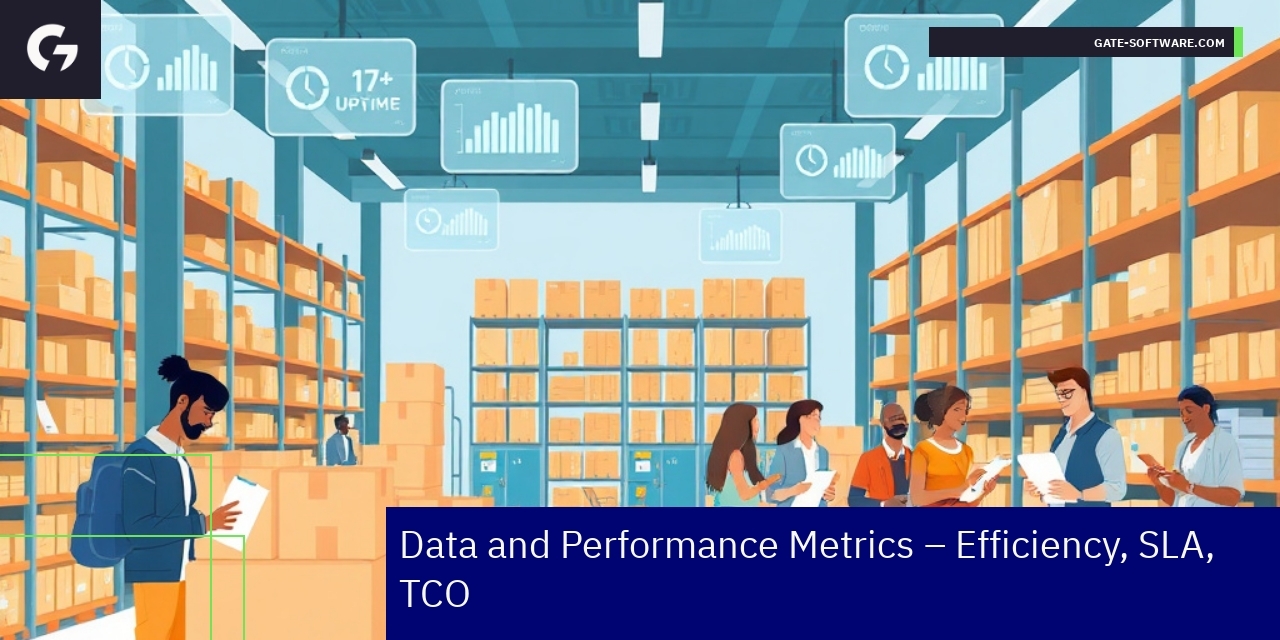
Data and Performance Metrics – Efficiency, SLA, TCO
Operational Effectiveness in Hyva Projects
In deploying Hyva themes for Magento, Gate-Software has established a comprehensive framework that yields significant operational and performance metrics. For instance, the average project takeover time when switching to Hyva themes stands at approximately 2 weeks, allowing businesses to quickly adapt to new designs and functionalities. This streamlined transition process has resulted in a remarkable 95% of projects delivered on time, underscoring the efficiency of Gate-Software’s project management strategies.
Moreover, organizations have reported an average reduction in Total Cost of Ownership (TCO) of around 30% due to the optimized performance and reduced resource needs associated with Hyva implementation. This reduction in costs is accompanied by an impressive 99.9% uptime SLA, ensuring that online stores remain operational and accessible to customers, which is crucial for maintaining revenue flow.
Since the introduction of Hyva, Gate-Software has successfully completed over 150 implementations, showcasing its strong foothold in the market and the increasing demand for high-performance theme solutions. Furthermore, clients experience an average relationship duration of 5 years, reflecting the trust and satisfaction built through ongoing support and collaboration.
These metrics not only illustrate the effectiveness of Hyva implementations but also reinforce the strategic value offered by Gate-Software to eCommerce businesses seeking to enhance their operations while ensuring a compelling user experience aligned with modern accessibility standards.

Summary
In today’s competitive digital landscape, effectively implementing the Hyva theme in your Magento eCommerce platform can significantly enhance user experiences and drive business growth. The structured approach outlined in this article not only emphasizes the importance of adhering to best practices during the installation and customization phases but also showcases how Gate-Software’s expertise can facilitate your success in navigating these challenges. By ensuring compatibility, optimizing performance, and maintaining robust service-level agreements, you can leverage Hyva’s efficient frontend architecture to create a responsive and tailored shopping experience. Furthermore, embracing ongoing maintenance protocols can help you stay ahead of industry trends, ensuring that your platform remains agile and efficient. If you are looking to optimize your Hyva implementation or explore further collaboration opportunities, don’t hesitate to reach out to us at Gate-Software. Together, we can turn your vision into reality, enhancing your eCommerce capabilities and establishing a competitive edge in the market.
Summary

FAQ
How do I install the Hyva theme in Magento 2?
To install the Hyva theme in Magento 2, first verify the system requirements, including Magento version compatibility and server configuration. Then, upload the theme package via the command line interface and enable it in the Magento admin panel to ensure seamless integration with existing modules.
What customization options are available for the Hyva theme?
Customization of the Hyva theme includes adjusting layout XML, CSS, and optional React components to align the user experience with business goals and meet WCAG accessibility standards. This allows tailored experiences particularly vital for B2B platforms.
Why is ongoing maintenance important for the Hyva theme?
Ongoing maintenance is critical to ensure platform stability and responsiveness. It involves regular updates, performance monitoring, and troubleshooting under Service Level Agreements (SLA), which help in maintaining optimal performance and compliance with internal standards.
What are the best practices for using the Hyva theme?
Best practices include following a structured installation guide, registering the theme properly, backing up existing configurations, and testing changes in a development environment. This helps prevent common pitfalls during theme setup and enhances performance and maintainability.
How does Hyva improve the Magento 2 theming experience?
Hyva improves the Magento 2 theming experience by simplifying frontend development through its modernized and efficient architecture. This approach reduces complexity, enhances performance, and aligns with UX/UI best practices, supporting businesses in achieving superior eCommerce experiences.
.
.
Zamów bezpłatną konsultację
.
Z nami rozwój Twojego biznesu nabierze tempa! Zapraszamy do kontaktu średnie i duże firmy generujące min. 7 mln PLN obrotu rocznie – tam nasza ekspertyza sprawdza się najlepiej.
.
Kliknij w poniższy przycisk i skontaktuj się z jednym z naszych konsultantów e-commerce
.