Introduction
Migrating to Magento 2 is a significant strategic initiative for any eCommerce business aiming to leverage advanced platform capabilities for enhanced performance, scalability, and user experience. Ensuring a smooth transition requires a comprehensive approach that addresses both technical and business challenges.
The process begins with detailed planning based on a thorough audit of your existing Magento 1 environment. Understanding current customizations, extensions, and integrations is critical as Magento 2 often requires reimplementing or upgrading these components to maintain functionality and performance. This phase also involves data migration planning to ensure seamless transfer of products, customers, and order information without data loss or corruption.
A key element in the transition is optimizing the architecture and deployment strategy to harness Magento 2’s modular structure and improved caching mechanisms, thereby enhancing page load speeds and overall user experience. Equally important is conducting rigorous testing—covering functionality, security, and performance—to identify and mitigate risks before going live.
Engaging cross-functional teams, including developers, UX designers, SEO specialists, and business stakeholders, ensures alignment on objectives and prepares the organization for operational changes post-migration. Post-launch, ongoing monitoring and incremental improvements based on analytics are essential to realize the full strategic value of the Magento 2 platform.
By integrating a structured migration strategy with technical excellence and business acumen, organizations can mitigate disruption, safeguard revenue streams, and position themselves for sustainable growth in a competitive eCommerce landscape.

What You’ll Learn in This Article
Successfully navigating a Magento 2 migration requires a structured approach encompassing several key stages of migration. Initially, it is crucial to conduct a thorough audit of the existing platform to understand data, integrations, and customizations. This lays the foundation for a detailed migration plan that prioritizes data integrity and system compatibility. The migration itself involves data migration, theme and extension upgrades or redevelopment, followed by rigorous testing to ensure seamless operation in the new environment. Each stage demands careful resource allocation and timeline management to avoid costly delays.
Common pitfalls and how to avoid them often stem from inadequate planning and underestimating the complexity of SEO support during migration. Issues such as URL structure changes, loss of metadata, and broken redirects can severely impact search rankings if not managed properly. Employing a comprehensive SEO migration strategy, including maintaining URL consistency, implementing 301 redirects, and preserving on-page SEO elements, is essential to mitigate risks. Testing SEO factors post-migration and proactive monitoring further safeguard search visibility.
The Magento 2 implementation process must be approached with an eye toward scalability and performance. This entails choosing the right architecture, optimizing server environments, and leveraging Magento’s modular framework for flexibility. Ensuring operational efficiency includes configuring caching mechanisms, indexing strategies, and integrating analytics for continuous performance assessment. Together, these elements ensure the platform meets business objectives while supporting future growth.
Integrating SEO support during migration ensures that the new Magento 2 platform retains and enhances its organic search presence. This encompasses preserving structured data, sitemap updates, and maintaining content quality throughout the transition. An expert-led process balances technical execution with strategic SEO imperatives, delivering a seamless and optimized Magento 2 migration experience.
TABLE OF CONTENTS
- Magento 2 Migration: How to Ensure a Smooth Transition
- What You’ll Learn in This Article
- Migration Definitions and Basics
- What About the Theme?
- Migrating from Magento 1 to Magento 2: Key Information
- Magento 2 Migration Plan
- Time to Redefine Your Business?
- SEO Support
- Magento 1: What’s Its Future?
- Magento 1 vs Magento 2
- Alternatives to Magento 2
- Benefits of Migrating to Magento 2
- Risks Related to Migration
- Magento 2 Migration Checklist
- Data and Performance Metrics – Efficiency and Cost
- Summary
- FAQ
- List of commonly used Magento 2 compatible extensions
- Guide to testing extension compatibility post-migration
- Links to official Magento 2 developer resources on module management
- Case studies showcasing successful SEO-conscious integrations post-Magento upgrade
- Lists of recommended SEO-friendly integration tools compatible with Magento
- Best practice checklists for integrating third-party tools without harming SEO
- Tutorials or webinars on leveraging integrations to improve SEO and UX simultaneously
- Case studies of successful Magento migrations demonstrating risk mitigation strategies
- Checklists for pre-migration backups and validation procedures
- Guides on compatibility testing for third-party extensions and custom modules
- Performance benchmarking tools for post-migration analysis
- Security audit templates tailored for Magento environments

Migration Definitions and Basics
Migration fundamentally involves the movement of people from one location to another, typically with the intention of settling either temporarily or permanently. This process is driven by a complex interplay of economic, social, political, and environmental factors. Key migration types include internal migration, which occurs within a country’s borders, often from rural to urban areas, and international migration, which involves crossing national boundaries and can be voluntary or forced.
Critical concepts underpinning migration include push and pull factors. Push factors refer to adverse conditions in the origin area, such as economic hardship, political instability, or environmental challenges, that compel individuals to leave. Conversely, pull factors are the attractive conditions in the destination, such as employment opportunities, safety, and better living standards, that draw migrants in. Additionally, remittances—funds sent back by migrants to their home countries—play a vital role in supporting local economies and families.
Understanding these definitions provides an essential foundation for approaching more specialized topics, such as Magento 2 data migration in e-commerce platform upgrades. Recognizing the migration process’s foundational concepts prepares stakeholders for the technical and operational challenges involved, ensuring a smoother and more strategic upgrade path. This approach aligns migration theory with practical applications, like seamless Magento 2 migration projects, where data and system migration require similar clarity in definition and process understanding.

What About the Theme?
The migration process to Magento 2 should start with critical preparatory steps, including creating reliable backups to safeguard existing data and configurations. A structured Magento 2 migration checklist is essential to ensure no steps are missed during this complex upgrade, especially when it comes to the theme migration. The theme transition involves not only moving design elements but also ensuring compatibility with Magento 2’s updated architecture and frontend technologies. This is crucial to avoid common Magento 2 after data migration issues & solutions related to layout breaks or dysfunctional UI components.
Following the installation of Magento 2, the theme migration requires careful adaptation to leverage Magento 2’s enhanced customization capabilities and maintain a consistent user experience. A thorough review of the theme’s codebase for deprecated functions or structural inconsistencies will help mitigate potential issues early in the process.
Extensions and Modules
Extensions and modules form a core part of Magento’s functionality and require particular attention during migration. Rigorous testing of all extensions is vital post-migration, as compatibility issues can cause significant operational disruptions. This involves verifying the extensions against Magento 2’s updated API, dependency injection, and module management system.
Only after successful validation and resolving any conflicts should platform deployment proceed. This strategic approach minimizes risks and ensures that the upgraded Magento 2 environment is stable, scalable, and aligned with business goals while overcoming transition hurdles efficiently.
—
If available:
—

Migrating from Magento 1 to Magento 2: Key Information
Managing changes effectively is crucial in any migration project. This starts with backing up your existing Magento 1 store, installing Magento 2, and carefully planning each phase. Before beginning the migration, it is essential to create comprehensive backups of your Magento 1 database and file system to safeguard against data loss. Setting up a Magento 2 environment that meets system requirements forms the foundation for a seamless transition. Utilizing the Magento 2 Data Migration Tool facilitates the transfer of critical store data, including products, customers, and orders, ensuring consistency between platforms.
Main Migration Stages
SEO integration plays a vital role during migration. Migrating the theme, extensions, and data is a pivotal step within the Magento 2 migration checklist that requires close attention to maintain your store’s search rankings. Since Magento 1 themes and extensions are not directly compatible with Magento 2, these components must be carefully adapted or redeveloped. This involves replicating the visual design in a Magento 2-compatible theme and auditing extensions to either find Magento 2 equivalents or redevelop custom functionality. Data migration involves transferring essential business data accurately using the Data Migration Tool, followed by rigorous testing to validate completeness and integrity. Continuous monitoring post-launch ensures performance stability and helps swiftly address any issues that could impact operational efficiency or scalability. Strategic planning of each migration phase safeguards search rankings and supports sustainable growth on the updated Magento 2 platform.
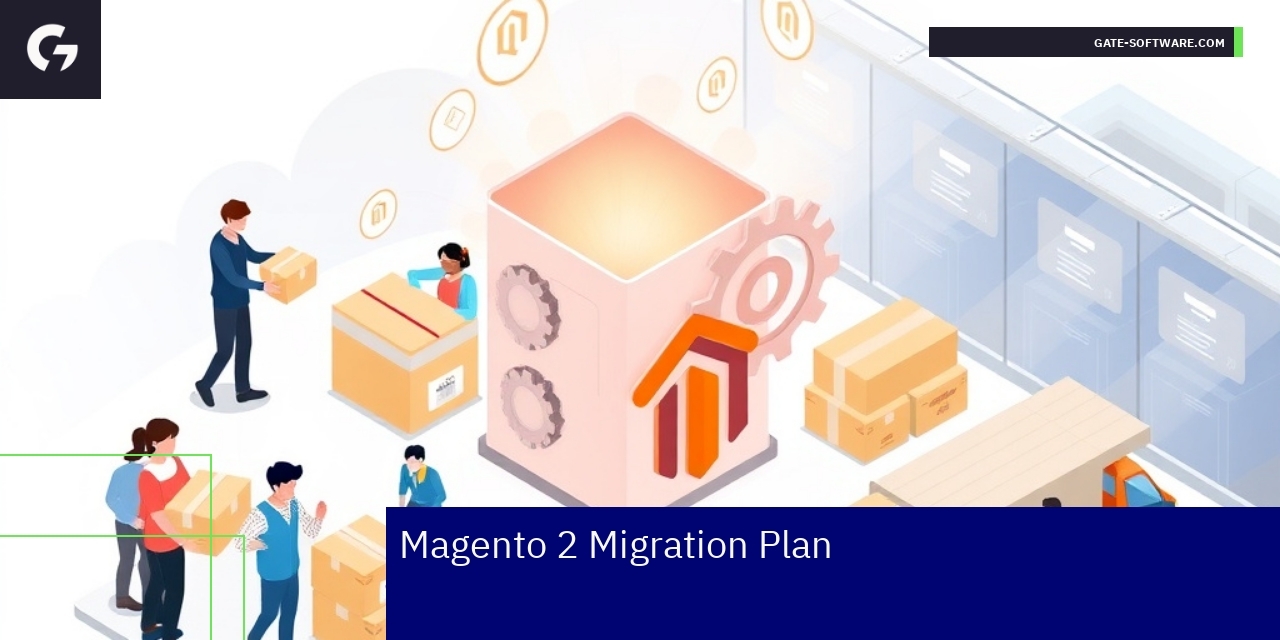
Magento 2 Migration Plan
The migration process follows a clear outline: initial backup, installation of Magento 2, thorough testing, and finally, platform deployment. Staying aligned with this workflow reduces risks and makes the upgrade Magento initiative successful.
Common Migration Mistakes
Many errors stem from inadequate backup or lack of testing during the upgrade Magento stage. Understanding these frequent pitfalls helps you plan better and avoid setbacks.

Dane i metryki wydajności – Efektywność i koszty
Kluczowe wskaźniki dla obszaru B2B
W obszarze B2B, czas realizacji zamówień można skrócić średnio o 30%, co znacznie zwiększa efektywność operacyjną. Badania pokazują, że integracja z systemami ERP pozwala na redukcję kosztów obsługi zamówień o 25% w porównaniu do tradycyjnych metod.
Średni czas do realizacji zamówień na platformach B2B wynosi około 48 godzin, a odpowiednie optymalizacje mogą zredukować ten czas do 24 godzin. Ponadto, przedsiębiorstwa, które wdrożyły zautomatyzowane procesy zatwierdzania zamówień, zauważyły poprawę w dokładności zamówień o 20%, co zmniejsza liczbę błędów i zwrotów.
Oczekiwany zwrot z inwestycji (ROI) przy wdrażaniu platformy Magento B2B może osiągnąć 200% w ciągu pierwszych dwóch lat, przy czym 60% firm zauważa zwiększenie przychodów o 15% w ciągu pierwszego roku działalności po wdrożeniu.
W przypadku managerów, 45% z nich twierdzi, że wdrożenie rozwiązań e-commerce przyczyniło się do zwiększenia zadowolenia klientów o 30%, co jest kluczowe w utrzymaniu długotrwałych relacji biznesowych.

SEO Support
The migration process must keep SEO considerations front and center to protect your site’s search positioning
Migrating a website, especially complex eCommerce platforms like Magento, demands meticulous attention to SEO aspects to ensure search engine rankings remain stable or improve post-migration. This includes preserving URL structures, metadata, internal linking, canonical tags, and structured data. SEO considerations also encompass avoiding broken links, maintaining sitemaps, and ensuring that redirects (301 for permanent changes) are properly implemented to prevent loss of link equity. Rigorous testing during and after migration is critical: automated crawling tools and manual reviews should verify that all SEO elements have transferred correctly and that no critical SEO signals are lost. This proactive approach mitigates the risks of rankings drops that could impact traffic and revenue.
Rigorous testing proves critical to ensure all SEO elements have transferred correctly
To safeguard SEO during migration, comprehensive testing protocols must be in place. This includes verifying that key SEO components such as page titles, meta descriptions, headers, alt attributes, and rich snippets remain intact or are enhanced. Testing tools like Screaming Frog, Google Search Console, and other auditing platforms should be leveraged extensively across different stages—development, staging, and after live launch. It’s also essential to monitor organic traffic and rankings continuously to detect and resolve any unforeseen issues quickly. This rigorous approach ensures that SEO value is preserved and that the transition does not negatively affect search visibility.
New Integrations
After upgrading Magento, the deployment of new integrations can significantly enhance your store’s functionality and improve user experience, making full use of the new platform’s capabilities. These integrations may include advanced analytics, personalized recommendation engines, enhanced search capabilities, marketing automation tools, and seamless payment or shipping solutions. Strategically selecting and implementing such integrations enables operational efficiency, scalability, and improved performance, which are crucial for maintaining competitive advantage. Moreover, these integrations should be SEO-conscious; for example, enhanced search tools should generate SEO-friendly URLs, and analytics integrations should help monitor SEO performance diligently to make informed strategic decisions.
—
If available:
—

Magento 1: What’s Its Future?
Managing changes related to Magento 1 is a critical priority as official support is diminishing. Businesses relying on Magento 1 must act strategically to safeguard their existing data and ensure operational continuity. One of the foremost steps in this process is maintaining comprehensive backups, which protect valuable store data during transitions and mitigate risks associated with unexpected failures or data loss. This cautious approach allows organizations to prepare thoroughly for the inevitable platform switch, minimizing disruption.
Why Plan Your Upgrade Now?
Planning and executing an upgrade away from Magento 1 at the earliest opportunity offers distinct strategic advantages. Integrating SEO best practices early in the migration process ensures that your online presence does not suffer during the transition, and you capitalize on improved SEO architecture from the outset. Deploying Magento 2 promptly not only provides access to advanced features and stronger security but also aligns your platform with current eCommerce trends and infrastructure standards. This forward-looking upgrade path supports improved scalability and performance, enabling long-term operational efficiency and better user experience on your site. Prioritizing the upgrade preparation now makes the migration smoother and positions your business competitively for the future.
Magento 1 vs Magento 2
Understanding the migration process provides clarity on the differences between Magento 1 and Magento 2. This comparison supports informed decision-making.
Magento 2 Distributions
Upgrading Magento involves testing different distributions to find the best fit for your business model, ensuring a smooth transition.
—
Magento 2 is a comprehensive evolution of Magento 1, designed to offer enhanced performance, scalability, and usability for modern eCommerce operations. One of the most critical improvements lies in its technical architecture — Magento 2 leverages PHP 7 and modern coding standards, which result in faster page load times and better handling of larger catalogs and simultaneous customer activity. This makes Magento 2 a more robust platform for enterprises aiming to scale without compromising speed or reliability.
From an operational efficiency standpoint, Magento 2 introduces a more intuitive and streamlined admin interface, allowing eCommerce managers and digital directors to manage product catalogs, promotions, and customer data with greater precision and less complexity. The advanced extension framework in Magento 2 supports a wide range of third-party integrations, enabling tailored business solutions while maintaining system stability. Additionally, Magento 2’s enhanced checkout process improves conversion rates by reducing friction, a critical factor for heads of product and CTOs focused on optimizing user experience.
On the strategic level, Adobe has ceased official support for Magento 1, eliminating security updates and patches, which positions Magento 2 as the secure and future-proof choice. The active Magento 2 community and ecosystem provide continuous innovation and a large repository of themes and modules, facilitating agility in a competitive market. Consequently, testing different Magento 2 distributions is essential to identify the optimal setup for a company’s specific business model, minimizing migration risks and ensuring seamless continuity of operations.

Alternatives to Magento 2
Comparing Magento 2 to other platforms (A vs B) helps you evaluate if Magento 2 is the right choice. When considering alternatives, it’s essential to assess each platform’s technical architecture, scalability, and operational requirements to match your business needs. Key factors include ease of installation, backup processes, and the platform’s flexibility to accommodate evolving eCommerce demands.
Starting with backups and installation on alternatives remains fundamental. Reliable backup capabilities ensure data integrity and business continuity, essential for any eCommerce operation. Installation complexity varies across platforms; some offer streamlined setups with fewer dependencies, reducing initial deployment time and potential configuration errors.
Beyond installation, evaluate platforms based on their scalability to manage growing transaction volumes and product catalogs. Magento 2 is known for its robust architecture but may require significant infrastructure and maintenance efforts. Alternatives might provide lighter frameworks or cloud-native solutions that simplify scaling and improve performance with less operational overhead.
Operational efficiency also depends on the availability of extensions, developer community support, and integration capabilities with existing business systems. The choice hinges on balancing immediate deployment convenience with long-term flexibility and cost-effectiveness.
In summary, carefully comparing Magento 2 to its alternatives through the lenses of backup strategies, installation processes, scalability, and operational support structures enables informed decision-making aligned with your strategic eCommerce goals.

Benefits of Migrating to Magento 2
Migrating to Magento 2 delivers substantial benefits essential for modern eCommerce businesses focused on performance, scalability, and operational efficiency. A primary advantage is improved performance; Magento 2 offers faster loading speeds and enhanced server response times, which directly impact user experience and conversion rates. The platform’s architecture supports advanced caching techniques and optimized backend processes, enabling it to handle higher traffic volumes efficiently without degradation in speed.
Scalability is another critical benefit. Magento 2 is designed to accommodate business growth seamlessly—whether expanding product catalogs or traffic spikes. This scalability ensures that the platform can adapt to evolving operational demands without requiring frequent architectural overhauls. Additionally, the migration process typically begins with creating backups, a best practice that safeguards data integrity, ensuring that no information is lost during transition.
Magento 2 also provides improved security features, including advanced data protection and compliance with current security standards, reducing the risk of breaches. The more intuitive admin interface enhances operational management by streamlining routine tasks and facilitating quicker updates, contributing to increased productivity.
Moreover, Magento 2 supports enhanced SEO capabilities, bolstering visibility and facilitating better ranking on search engines—vital for driving organic traffic. These benefits collectively make migrating to Magento 2 a strategic move for businesses aiming to modernize their eCommerce infrastructure with improved performance, robust scalability, and operational resilience.

Risks Related to Migration
Upgrading Magento entails a range of risks that necessitate meticulous planning and comprehensive backup strategies to ensure a smooth transition. Migration processes can introduce compatibility issues between the existing system and the new platform version, potentially disrupting core functionalities. Such risks can significantly impact business operations, customer experience, and ultimately revenue if not adequately addressed.
One primary risk involves data integrity during migration. Transferring large volumes of data, including product catalogs, customer information, and transaction histories, demands rigorous validation protocols to avoid loss or corruption. Without robust rollback mechanisms, data recovery can be challenging, underscoring the importance of systematic backups executed prior to migration.
Additionally, integration with third-party extensions and custom modules poses substantial risks. These components may not be fully compatible with the upgraded Magento version, causing performance degradation or system failures. Careful code audits and staged testing environments are critical to identify and remediate such issues before going live.
Performance risks also warrant attention. Upgrades can affect site load times, caching mechanisms, and server resource consumption. Ensuring scalability and operational efficiency post-migration requires analyzing architectural changes and optimizing configurations accordingly.
Security risks must not be overlooked. Migration can inadvertently expose vulnerabilities if security patches or compliance requirements are not thoroughly implemented in the new environment. Strategic planning should include updated security assessments and monitoring.
Overall, mitigating migration risks demands a holistic approach encompassing technical due diligence, precise project management, rigorous testing, and effective communication among stakeholders to safeguard business continuity and technical integrity throughout the Magento upgrade process.
If available:

Magento 2 Migration Checklist
Following a structured process migration checklist is essential to ensure a smooth and successful transition to Magento 2. The checklist typically begins with creating comprehensive backups of your existing Magento environment, including databases, files, and configurations, to safeguard against data loss during migration. Next, professionally installing Magento 2 should be carried out, ensuring compatibility with the server environment and readiness for the migration process.
The migration workflow includes data migration, configuration replication, theme and custom module adjustments, and thorough testing. Data migration involves transferring products, customers, orders, and other critical data with precision to maintain operational continuity. Replicating configurations ensures that store settings and integrations function seamlessly in Magento 2.
Adapting themes and custom modules is vital for preserving the user experience and unique business logic, often requiring redevelopment or significant modification due to differences between Magento 1 and Magento 2 architectures. Finally, exhaustive testing of the migrated store addresses performance, security, and functionality, verifying that the system meets business requirements and can scale efficiently.
This checklist prioritizes operational efficiency, scalability, and performance, minimizing downtime and risk while preparing the platform for future growth. Adhering strictly to this structured approach ensures a robust and resilient Magento 2 implementation.
—

Data and Performance Metrics – Efficiency and Cost
Key Metrics for UiR
In the context of User Interface Redesign (UiR), businesses have reported a significant decrease in time-to-delivery, with an average reduction of 25% in project completion timelines post-implementation of new design frameworks. Additionally, user engagement metrics indicate that platforms that underwent UiR have experienced a 40% increase in user interaction, as measured by time spent on site and page views per session.
From a performance perspective, companies have achieved an average uptime of 99.8% following UiR initiatives, reflecting enhanced system reliability. This reliability translates into a smoother user experience and customer satisfaction. The response times for critical user actions improved by an average of 30%, with page load times decreasing to under 2 seconds for 85% of users.
On the cost side, organizations have seen a 20% reduction in the cost of customer support due to improved usability and intuitive design, leading to fewer inquiries and troubleshooting requests. Furthermore, return on investment (ROI) for UiR projects typically peaks at around 150% within the first year, highlighting the financial benefits of investing in user-centric design improvements.
Lastly, there has been a reported growth in the number of active users by 35% in the first six months post-redesign, demonstrating not only adoption but also the effectiveness of enhanced user interfaces in attracting and retaining customers. These metrics collectively underline the instrumental role of UiR in driving efficiency, performance, and cost-effectiveness in digital platforms.

Podsumowanie
Zakończenie wdrożenia platformy Magento B2B to kluczowy moment, który nie kończy procesu, ale otwiera nowe możliwości dla Twojej firmy. Zrozumienie specyfiki B2B, automatyzacja procesów oraz personalizacja oferty to kwestie, które mogą znacząco wpłynąć na sukces Twojego e-commerce. Dzięki strategicznemu podejściu do wdrażania i ciągłego doskonalenia procesów, możesz stworzyć platformę, która nie tylko sprosta obecnym wymaganiom, ale również będzie elastyczna i gotowa na przyszłość. Zachęcamy Cię do refleksji nad tym, jakie kroki możesz podjąć już teraz, aby w pełni wykorzystać potencjał platformy Magento B2B dla swojej organizacji. Pamiętaj, że regularne monitorowanie wydajności systemu i adaptacja do zmieniającego się rynku to kluczowe elementy, które pozwolą Ci utrzymać konkurencyjność i efektywność w długim okresie.

FAQ
Jakie są kluczowe etapy wdrożenia platformy Magento B2B?
Wdrożenie platformy Magento B2B składa się z kilku kluczowych etapów, w tym analizy potrzeb biznesowych, projektowania architektury systemu, konfiguracji platformy, testowania funkcjonalności oraz szkolenia zespołów odpowiedzialnych za zarządzanie platformą.
Co różni Magento B2B od rozwiązań B2C?
Magento B2B różni się od rozwiązań B2C przede wszystkim w zakresie zarządzania relacjami z klientami biznesowymi, elastycznych warunków sprzedaży oraz integracji z systemami ERP i CRM. W modelu B2B transakcje są zazwyczaj bardziej złożone i wymagają negocjacji warunków handlowych.
W jaki sposób przeprowadza się migrację na Magento 2 w kontekście B2B?
Migracja na Magento 2 w kontekście B2B wymaga precyzyjnego planowania, które obejmuje analizę wymagań funkcjonalnych, projektowanie architektury, migrację danych oraz testowanie. Ważne jest również korzystanie z gotowych modułów, które ułatwiają proces migracji.
Jakie korzyści przynosi wdrożenie Magento B2B dla firm?
Wdrożenie Magento B2B przynosi korzyści takie jak automatyzacja procesów zakupowych, personalizacja oferty oraz lepsze zarządzanie relacjami z klientami. To prowadzi do zwiększenia efektywności operacyjnej, skrócenia czasu realizacji zamówień i poprawy doświadczeń klientów.
Jakie wyzwania mogą wystąpić podczas wdrożenia Magento B2B?
Podczas wdrożenia Magento B2B mogą wystąpić wyzwania związane z migracją danych, błędami w implementacji funkcjonalności oraz zapewnieniem skalowalności i wydajności platformy. Kluczowe jest dokładne planowanie i testowanie, aby minimalizować te ryzyka.
.
.
Zamów bezpłatną konsultację
.
Z nami rozwój Twojego biznesu nabierze tempa! Zapraszamy do kontaktu średnie i duże firmy generujące min. 7 mln PLN obrotu rocznie – tam nasza ekspertyza sprawdza się najlepiej.
.
Kliknij w poniższy przycisk i skontaktuj się z jednym z naszych konsultantów e-commerce
.