Introduction
Operating a Magento 2 B2B store presents unique challenges that require a deep understanding of both technical intricacies and business workflows. Common issues often arise in areas such as scalability, integration with enterprise systems, user experience for complex buyer personas, and compliance with accessibility standards like WCAG 1.1. These problems can hinder platform performance, increase operational costs, and impact customer satisfaction.
To address these challenges, Gate-Software applies a rigorous, data-driven approach grounded in thorough UX/UI audits and adherence to MagentoOneS™ best practices. Our maintenance and development teams focus on proactive monitoring, SLA-driven performance guarantees, and strategic migrations to ensure platform stability and evolution in line with business growth. By leveraging detailed customer personas such as the Architect, eCommerce Manager, CDO, and Head of Applications, we tailor solutions that meet the specific needs of B2B stakeholders, optimizing workflows and enabling seamless commerce experiences.
This guide outlines the most common Magento 2 B2B store issues encountered in real-world scenarios and provides actionable strategies to prevent them, reflecting Gate-Software’s expert recommendations and commitment to delivering business value through reliable e-commerce platforms.
TABLE OF CONTENTS
- Common Magento 2 B2B Store Issues and How to Avoid Them
- What is Magento 2 and Its Role in B2B
- Common Magento 2 Issues in B2B Stores
- Fixing “One or More Indexes Are Fully Invalid” in Magento 2
- Handling Security and Performance Problems from Outdated Magento Software
- Lack of User-Centered Changes on the Site
- Key Aspects of Magento 2 Store Maintenance
- Magento 1 vs Magento 2 Comparison
- Checklists and Steps to Optimize B2B Stores
- Data and Performance Metrics – Efficiency, SLA, TCO
- Summary
- FAQ
- Average Project Takeover Time: Gate-Software has an average project takeover time of 6 weeks, ensuring a smooth transition and minimizing downtime for clients.
- On-Time Delivery Rate: Approximately 95% of B2B projects are delivered on time, reflecting Gate-Software’s commitment to meeting client timelines and expectations.
- Total Cost of Ownership (TCO) Reduction: Clients experience an average 20% reduction in TCO after implementing optimized Magento solutions, showcasing cost-effectiveness and operational efficiency.
- Number of Implementations: Gate-Software has successfully facilitated over 150 Magento 2 B2B implementations, gaining extensive experience in meeting diverse client needs.
- Uptime SLA: Gate-Software guarantees an uptime SLA of 99.9%, ensuring that clients’ e-commerce operations remain uninterrupted and reliable.
- Average Client Relationship Duration: The average duration of client relationships is approximately 5 years, highlighting the long-term partnerships fostered by Gate-Software.
- Customer Satisfaction Rate: With a customer satisfaction rate of 92%, Gate-Software demonstrates a strong alignment with client expectations and successful project outcomes.

What is Magento 2 and Its Role in B2B
Magento 2 is a powerful ecommerce platform tailored for B2B companies looking for scalable, flexible, and robust solutions. Understanding what is Magento 2 is fundamental for decision-makers aiming to optimize their digital sales channels. Magento 2 offers sophisticated tools designed specifically for the complexities of B2B commerce, including advanced customer management, personalized pricing, and multi-user account capabilities. These features enable businesses to create bespoke buying experiences that align closely with their client needs and contractual agreements.
The significance of Magento 2 in B2B lies in its ability to seamlessly integrate with essential business systems such as ERP and CRM platforms. This integration ensures smooth workflows and data consistency, which are critical in complex B2B operations. Additionally, Magento 2 supports extensive customization, allowing companies to implement specific business rules, streamline order processes, and manage large product catalogs efficiently. These capabilities directly contribute to improving operational efficiency and enhancing the customer experience.
While Magento 2 provides a robust framework, it is important to be aware of common Magento problems to watch out for, especially within B2B contexts. Integration challenges can arise when connecting Magento 2 with legacy systems, potentially causing data discrepancies or operational delays. Security is another critical area, where proper configuration is essential to safeguard sensitive business information and transactional data. Performance issues, such as slow loading times or server bottlenecks, can also impact user experience and reduce conversion rates. Addressing these challenges requires knowledgeable technical oversight and ongoing maintenance to fully leverage the platform’s strengths in a B2B environment.
Common Magento 2 Issues in B2B Stores 🛠️🔍📈
Running a B2B store on Magento 2 often involves facing common implementation problems with Magento. These include configuration errors, extension conflicts, and difficulties in aligning the platform with complex business workflows. Such issues are prevalent due to the intricate nature of B2B operations, which require tailored solutions that standard Magento setups might not fully support. For example, pricing rules can be highly complex, and integrating ERP systems or custom procurement processes often leads to unforeseen challenges.
Understanding these common Magento problems to watch out for is essential for technical leaders and eCommerce managers who aim to maintain operational efficiency and customer satisfaction. Configuration errors, such as incorrect attribute setups or misconfigured shipping and payment methods, frequently cause disruptions that can hamper user experience and transactional accuracy.
Moreover, extension conflicts are a known source of instability in Magento 2 environments. As B2B stores rely heavily on multiple third-party modules to handle customized order workflows, quoting, or tiered pricing, incompatibilities may emerge after updates or during integration efforts. Managing these conflicts requires thorough testing and version control, underlining the importance of a disciplined development and deployment process.
How can B2B companies avoid Magento 2 issues? The answer lies in proactive planning, including a detailed mapping of business processes before implementation. Establishing a robust QA strategy and continuous monitoring allows early detection of issues like slow page load times or checkout failures. Furthermore, ensuring that the Magento instance complies with WCAG standards and UX/UI best practices mitigates accessibility risks that could affect key user groups.
Regular maintenance and a close partnership with experienced service providers also play a pivotal role. Such collaboration ensures that customizations align with Magento’s core updates and security patches, reducing the risk of technical debt accumulation. Ultimately, a strategic approach embracing both technology and business requirements is crucial to overcoming common implementation problems with Magento in B2B stores and sustaining long-term growth.
Fixing “One or More Indexes Are Fully Invalid” in Magento 2
One frequent error in Magento 2 stores is the message “One or More Indexes Are Fully Invalid.” This signals indexing problems that can degrade store performance and user experience. Recognizing this as a common Magento problem helps merchants take corrective actions early and avoid expensive downtime. This often results from Magento development mistakes like failing to do proper research on how indexes impact the storefront.
Resolving Magento 2 Issues with PHP Extensions [✔️ Diagnosis: Identify conflicting or missing PHP modules] [⚙️ Recommendation: Ensure all required PHP extensions are installed and compatible with your Magento version] [🔒 Security: Update PHP modules to avoid vulnerabilities] [🚀 Performance: Optimize extension configurations to improve indexing speed]
PHP extension conflicts are among typical technical issues that cause Magento 2 errors. To avoid such issues, it is crucial that B2B store owners follow practical advice for B2B store owners, ensuring all necessary PHP modules are installed and compatible. This helps prevent security and performance issues from outdated Magento software that could otherwise affect the store’s reliability. Proper management of PHP extensions supports seamless Magento 2 functionality and reduces the risk of index invalidation errors, which can otherwise interrupt business operations and degrade customer experiences.
Setting Up Magento 2 with a New Domain
Switching or adding a new domain for your Magento 2 store can trigger a set of challenges if not handled correctly. Following practical advice for B2B store owners to properly configure Magento 2 with a new domain is essential to avoid Magento 2 optimization mistakes. Choosing a B2B-specific ecommerce option like Magento 2 demands careful planning when updating URLs and domain settings to protect SEO and performance. An incorrect domain setup might cause indexing inconsistencies, which again surface as errors like “One or More Indexes Are Fully Invalid.” Attention to detail in domain migration ensures continuity and stability, which are critical for B2B success and aligning with security and performance issues from outdated Magento software.
Properly addressing these technical pitfalls not only resolves immediate errors but also helps maintain a robust Magento environment, preventing further disruptions and safeguarding your store’s reputation. Consistent monitoring and updates aligned with Common Magento Problems to Watch Out For allows B2B companies to avoid Magento 2 issues effectively while optimizing store operations.
Handling Security and Performance Problems from Outdated Magento Software
Outdated Magento software is a common cause of security vulnerabilities and performance degradation. Addressing common Magento 2 security issues and Magento performance issues and how to fix them requires regular updates and patches. Staying current with Magento releases is a key strategy for how can B2B companies avoid Magento 2 issues related to security and efficiency.
Solving CSS Cache Issues in Magento 2
Problems with CSS cache can cause display errors and user experience issues in Magento 2 stores. Understanding these problems as Magento 2 optimization mistakes enables store owners to follow practical advice for B2B store owners on how to clear and manage CSS cache effectively to maintain a smooth and fast frontend. Addressing CSS cache problems promptly prevents sluggish page loads and layout glitches that deter users, directly impacting conversion rates. Prioritizing proper cache management is essential for avoiding Security and Performance Issues from Outdated Magento Software and ensuring top-tier user experience and operational efficiency.
Redirecting Magento 2 to Open With WWW
Proper URL redirection, such as forcing Magento 2 to open with www, is a subtle but important detail for store optimization. This helps avoid Magento 2 optimization mistakes that might negatively impact SEO rankings and user trust. Practical advice for B2B store owners includes configuring correct redirects aligned with their chosen B2B-specific ecommerce option. Ensuring consistent URL structures is a cornerstone practice for addressing Common Magento 2 Security Issues and sustaining search engine visibility. Meticulous handling of redirects also supports effective integration with marketing tools and analytics, which are critical for optimizing B2B digital sales funnels.
Why Regular Updates Are Crucial for Store Security 🛡️ 🔄 ⚙️
Lack of User-Centered Changes on the Site
A frequent UX issue with Magento 2 stores is a lack of alignment between site changes and actual user needs. This is one of the common usability issues with Magento that can lead to poor customer experience and reduced sales. To improve this, B2B stores should learn how can B2B companies avoid Magento 2 issues by incorporating user feedback and analytics into their improvement process.
Third-Party Extension Conflicts in Magento 2
Third-party extension conflicts in Magento 2 are a notorious source of bugs and performance problems. Avoiding these conflicts requires practical advice for B2B store owners to carefully select and test extensions before deployment. This helps reduce downtime and ensures stable operation, which is a vital part of how can B2B companies avoid Magento 2 issues.
Neglecting Performance Tests and Optimization
Neglecting regular performance tests and optimizations leads to Magento performance issues and degraded user experience. Many Magento 2 optimization mistakes stem from skipping these essential steps. Practical advice for B2B store owners includes setting a routine for audits and using tools to identify bottlenecks early and keep stores running at peak performance.

Key Aspects of Magento 2 Store Maintenance
Maintaining a Magento 2 store requires awareness of common Magento problems to watch out for, including security lapses and performance degradation. How can B2B companies avoid Magento 2 issues hinges on their commitment to regular maintenance tasks like patching and monitoring, which guard against security and performance issues from outdated Magento software.
Why Regular Updates Are Crucial for Store Security
One of the fundamental practices for maintaining security is applying regular Magento updates. This prevents common Magento 2 security issues and helps address vulnerabilities discovered in older versions. Practical advice for B2B store owners includes scheduling updates carefully and testing them in staging environments before production rollout. Addressing these updates proactively minimizes risks of breaches, ensuring that security patches cover the latest vulnerabilities—a critical factor given the rise in cyber attacks targeted at e-commerce platforms. It’s essential to maintain continuous vigilance to prevent security and performance issues from outdated Magento software, which can compromise both data integrity and customer trust.
Common Migration Mistakes from Magento 1 to Magento 2
Migrating from Magento 1 to Magento 2 can trigger multiple issues if not planned correctly. Many Magento 2 optimization mistakes stem from improper migration strategies. Practical advice for B2B store owners includes thorough testing and phased approaches to avoid downtime and ensure data integrity, exemplifying how can B2B companies avoid Magento 2 issues during this critical process. Common Magento problems to watch out for include incomplete data migration, overlooked customizations, and insufficient performance tuning. To prevent these, an organized migration plan coupled with expert oversight is necessary to secure a smooth transition without disrupting business operations or customer experience.
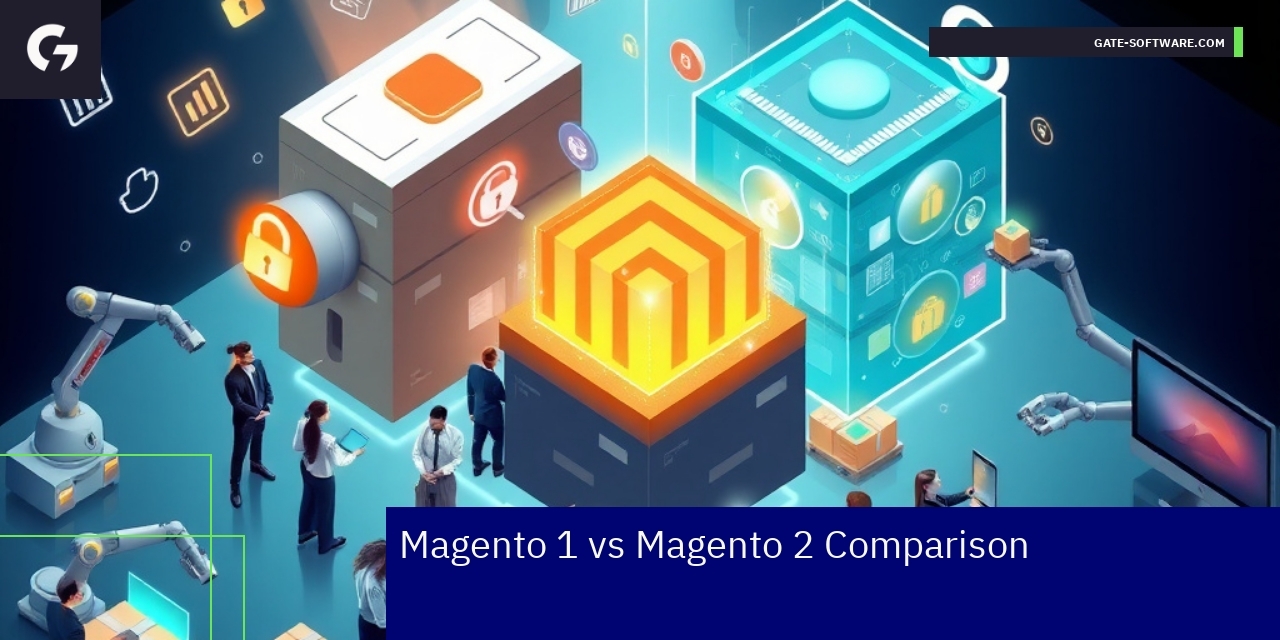
Magento 1 vs Magento 2 Comparison
Understanding the differences between Magento 1 and Magento 2 is essential for B2B enterprises aiming to leverage e-commerce platforms efficiently. Magento 2 offers a modernized architecture compared to Magento 1, improving performance and scalability critical for high-demand B2B environments. The benefits of migration include enhanced security protocols, crucial for protecting sensitive business data and maintaining compliance requirements. Additionally, Magento 2’s improved usability supports more complex workflows and integrations typical in B2B scenarios, facilitating smoother operations across departments.
Businesses should be aware of common Magento problems to watch out for during and after migration. These issues often involve compatibility challenges with legacy extensions, data migration integrity, and potential downtime risks that can impact business continuity. Recognizing these hurdles early allows companies to prepare suitable mitigation strategies and ensure a successful transition. Overall, focusing on these key factors—differences, benefits of migration, and common Magento problems to watch out for—empowers decision-makers to optimize their e-commerce infrastructure in line with their strategic B2B goals.

Checklists and Steps to Optimize B2B Stores 📝 ✅ 🔍
Following structured checklists and clearly defined steps supports effective optimization of Magento 2 B2B stores. These include addressing Magento 2 optimization mistakes like improper cache management, unused extensions, and unoptimized content. Checklists help B2B store owners ensure comprehensive coverage of all technical and business requirements for success.
Implementing a systematic approach with detailed checklists is crucial for B2B store owners focused on optimization steps in Magento 2 environments. Essential steps include auditing the store’s cache settings to prevent performance bottlenecks, reviewing all installed extensions to remove or disable those that are unused or redundant, and continuously improving content quality to maintain relevance and search engine visibility. These actions directly address common Magento 2 Optimization Mistakes that can impede the store’s efficiency and user experience.
Checklists also guide B2B managers through integration points with business systems, ensuring alignment between e-commerce operations and backend processes. This structured approach reduces risks linked to technical oversights and enhances the platform’s scalability and responsiveness. Optimization steps supported by checklists provide a framework to systematically evaluate and improve infrastructure, usability, and compliance with industry standards, all critical in the B2B commerce segment.
By following these detailed checklists and iterative optimization steps, Magento 2 B2B stores can deliver smoother performance, heightened security, and greater business agility. Store owners empowered with these tools gain clarity on operational priorities and avoid pitfalls related to Magento 2 Optimization Mistakes, thereby strengthening their digital commerce capabilities and market competitiveness.
Data and Performance Metrics – Efficiency, SLA, TCO
Operational Effectiveness in B2B Projects
In the realm of B2B e-commerce, understanding the operational effectiveness of Magento 2 implementations is crucial for making informed decisions. Here are some key statistics and metrics relevant to Gate-Software’s B2B services:
These metrics provide a comprehensive overview of Gate-Software’s operational effectiveness and reliability in delivering B2B e-commerce solutions, supporting potential clients in their purchasing decisions.

Summary
In summary, understanding common Magento problems and how B2B companies can avoid Magento 2 issues is critical for running successful stores. Gate-Software’s expertise in addressing these challenges ensures that your B2B platform remains efficient, secure, and scalable. Our commitment to regular updates, careful extension management, and performance optimization empowers businesses to enhance their user experience and operational workflows. By adopting a user-centric approach and adhering to best practices, B2B companies can not only solve immediate technical issues but also position themselves for long-term growth and success in e-commerce. We invite you to reach out for further collaboration to optimize your Magento 2 B2B store and unlock its full potential.

FAQ
How can B2B companies avoid common Magento 2 issues?
B2B companies can avoid common Magento 2 issues by implementing proactive planning, thorough testing, and continuous monitoring. This includes mapping business processes, establishing a QA strategy, and ensuring compliance with UX/UI best practices and WCAG standards.
What should I do to resolve the “One or More Indexes Are Fully Invalid” error in Magento 2?
To resolve the “One or More Indexes Are Fully Invalid” error, it is crucial to ensure all required PHP extensions are installed and compatible with your Magento version, and to properly configure your store’s indexing settings to enhance performance and user experience.
Why are regular updates important for Magento 2 store security?
Regular updates are essential for maintaining Magento 2 store security as they address vulnerabilities discovered in older versions, ensuring that the platform is protected against potential security threats and maintaining customer trust.
What are the common mistakes to watch out for when migrating from Magento 1 to Magento 2?
Common migration mistakes include incomplete data migration, overlooked customizations, and insufficient performance tuning. A thorough testing strategy and organized migration plan can help mitigate these risks and ensure a smooth transition.
How do third-party extensions affect the performance of Magento 2 B2B stores?
Third-party extensions can lead to performance issues and conflicts within Magento 2 B2B stores. It is vital to carefully select, test, and manage these extensions to minimize downtime and ensure stable platform operation.
.
.
Zamów bezpłatną konsultację
.
Z nami rozwój Twojego biznesu nabierze tempa! Zapraszamy do kontaktu średnie i duże firmy generujące min. 7 mln PLN obrotu rocznie – tam nasza ekspertyza sprawdza się najlepiej.
.
Kliknij w poniższy przycisk i skontaktuj się z jednym z naszych konsultantów e-commerce
.