Introduction
Migrating to Magento 2 is a critical project for any eCommerce business, especially within the scope of Utrzymanie i Rozwój (UiR). It involves complex technical and business challenges that require a meticulous approach to avoid costly pitfalls. Common mistakes during this migration process often stem from insufficient planning, underestimating resource needs, neglecting data integrity, poor customization management, and overlooking user experience and accessibility standards such as WCAG. Addressing these areas proactively ensures a seamless transition without disrupting ongoing operations or customer satisfaction.
At Gate-Software, we emphasize a data-driven, partnership-focused strategy for Magento 2 migrations under UiR services. This includes detailed audit phases, comprehensive testing, clear communication with key stakeholders like CTOs, CDOs, eCommerce Managers, and Architects, as well as rigorous monitoring post-migration. By understanding the top 10 common mistakes and implementing best practices tailored to UiR, businesses can optimize costs, preserve system stability, and align the migration outcome with strategic goals.
This article will guide you through these common issues and effective solutions, ensuring your Magento 2 migration maximizes ROI while maintaining the performance, security, and usability standards your company demands.
Magento 2 Migration Mistakes
Error 1: CSS Cache Issues
🛠️ Problem Identification
📈 Impact Analysis
✅ Recommended Solutions
📚 Further Reading
Causes of CSS Cache Issues
Lorem ipsum…
How to Prevent CSS Cache Problems
Lorem ipsum…
TABLE OF CONTENTS
- How to Avoid the Top 10 Common Mistakes During Migration to Magento 2
- Magento 2 Migration Basics
- Identifying Migration Issues
- Magento 2 Migration Mistakes
- Examples and Case Studies
- Magento 1 vs Magento 2 Comparison
- Migration Checklists and Steps
- Alternatives to Magento 2
- Benefits and Risks of Migration
- Data and Performance Metrics – Efficiency, SLA, TCO
- Summary
- FAQ
Magento 2 Migration Basics
Magento 2 is the next-generation e-commerce platform that supersedes Magento 1 by offering enhanced performance, scalability, and improved architecture. It supports advanced UiR requirements by enabling more flexible integrations and streamlined workflows tailored for enterprise-level operations. Understanding what Magento 2 entails is crucial for decision-makers responsible for migrating legacy systems to modern platforms without disrupting business continuity.
Migrating to Magento 2 is driven by several compelling factors. Firstly, the end of official support for Magento 1 necessitates a move to a secure and supported environment. Additionally, Magento 2 introduces a more intuitive user interface and improved backend usability, crucial for Head of Applications and eCommerce Managers who rely on efficient platform management. Migration also leverages enhanced SEO capabilities, better responsiveness, and compliance with WCAG standards, aligning with Gate-Software’s commitment to accessibility and usability.
Key differences between Magento 1 and Magento 2 include a modernized technology stack that embraces PHP 7+, a adopting service-oriented architecture that simplifies customization and upgrades. UiR-specific enhancements focus on robust API support for seamless integration with third-party systems and optimized hosting capabilities to improve scalability and reduce costs. From a user experience perspective, Magento 2 offers improved cache management and developer tools, which are essential for Architects and CTOs overseeing platform stability and growth. Strategically, migrating to Magento 2 with Gate-Software ensures alignment with company values around innovation and operational excellence.
Identifying Migration Issues
Effective Magento 2 Migration
Effective Magento 2 migration requires a thorough understanding of both the technical and business aspects to avoid common pitfalls. Addressing migration issues early on ensures a smoother transition and helps maintain business continuity. Knowing how to migrate to Magento 2 effectively involves careful planning, assessment of existing systems, and selecting the appropriate Types of Magento migration—whether it’s a full replatform, data migration, or hybrid approach. An effective Magento migration strategy is documented in the Magento migration guide, which highlights the importance of preparing data, custom modules, and integrations. Considering Magento 2 Myth Busting: Solving 5 Common Migration Issues, such as data loss, downtime, and performance degradation, can empower decision-makers to preemptively solve challenges before they escalate.
Common Magento 2 Migration Mistakes
Understanding common Magento 2 mistakes is crucial for CTOs and eCommerce Managers to safeguard the project’s success. Common Mistakes to Avoid During Magento1 to Magento2 Migration include neglecting adequate testing, failing to update extensions, or ignoring SEO implications during migration. Three Mistakes In Migrating Platforms and How to Avoid Them emphasize the need for detailed documentation, thorough QA, and comprehensive stakeholder communication. Additionally, the Top 10 common mistakes to avoid during migration to Magento 2 often involve underestimating the complexity of customizations and improperly handling data migration. Identifying these issues early helps mitigate risks and reduces operational disruptions.
Magento Migration Guide Essentials
The Magento migration guide essentials cover planning, execution, and post-migration optimization tailored to business needs. Gate-Software’s approach with UiR focuses on aligning the migration process with organizational goals, addressing migration issues such as data integrity, system compatibility, and continuity of user experience. This guide also provides direction on addressing Types of Magento migration tailored to specific scenarios and business contexts. Leveraging insights from Magento 2 Myth Busting: Solving 5 Common Migration Issues and incorporating lessons from Common Mistakes to Avoid During Magento1 to Magento2 Migration ensures the guide is comprehensive. The result is an efficient, risk-mitigated migration aligned with enterprise-level expectations.
Magento 2 Migration Mistakes
Error 1: CSS Cache Issues
##### Magento 2 and Cache Handling
A critical aspect of a smooth Magento 2 migration is effective cache management. Poor handling often leads to persistent CSS cache problems., which can affect site appearance and performance immediately after migration. Understanding Magento 2’s caching mechanisms and how they differ from earlier versions helps prevent migration issues. Properly clearing and refreshing caches ensures that front-end changes are visible and avoids stale content loading. This step is essential for an efficient Magento migration guide.
##### Common Cache-Related Errors
Common Magento 2 mistakes. during migration include overlooking CSS cache problems., which can cause discrepancies in UI rendering across sessions or devices. These errors typically arise from outdated or corrupted cache files left over from previous Magento versions or improper deployment configurations. Neglecting to address these can result in prolonged debugging and degraded user experience.
##### Migration Guide: Fixing Cache Problems
How to migrate to Magento 2 correctly involves a detailed plan to manage caching layers. Step one is to purge all caches before migrating; step two involves re-indexing and properly configuring cache settings post-migration. Regularly monitoring cache performance and applying patches or updates can mitigate future issues. This approach minimizes migration issues. relating to cache, providing a seamless transition with stable CSS rendering.
—
Error 2: Insufficient Disk Space
##### Migration and Disk Space Problems
Insufficient disk space. is a frequent barrier during Magento migrations. Lack of adequate storage can interrupt migration scripts, cause data corruption, or fail to back up existing installations effectively. This leads to migration issues. that may require extended downtime and complicated recovery efforts.
##### Migrating with Limited Storage
Planning how to migrate to Magento 2 includes auditing current disk usage and provisioning extra space to accommodate data export/import and temporary files generated during the process. Failure to allocate sufficient storage results in partial migration failures or degraded performance, commonly seen in projects with tight infrastructure limits.
##### Disk Space Errors to Avoid
Avoiding insufficient disk space. errors requires proactive space management, including cleaning obsolete files and optimizing storage allocation. Common Magento 2 mistakes. include not verifying available disk resources before initiating migration, causing delayed timelines and increased costs.
—
Error 3: Security Issues
##### Secure Magento 2 Migration
Security. is paramount during migration; transferring sensitive customer data and configurations involves numerous risks. Implementing secure migration protocols protects against data leaks, unauthorized access, and compliance violations. Encryption of data in transit and at rest along with hardened server environments is necessary.
##### Common Security Mistakes
Typical security mistakes involve using outdated credentials, ignoring patches, or misconfiguring permissions. Such lapses lead to vulnerabilities post-migration, compromising the entire platform’s integrity. Awareness of common Magento 2 mistakes. like these is crucial to ensuring a secure upgrade.
##### Migration Guide: Security First
Adopting a security-first approach in the Magento migration guide involves comprehensive assessments and audits before, during, and after migration. Integration of security tools, strong authentication, and secure coding practices help address migration issues. related to security effectively.
—
Error 4: Outdated Software
##### Migration and Software Updates
Outdated software. presents a significant risk during migration. Running unsupported operating systems, PHP versions, or Magento editions complicates compatibility and increases migration issues., often forcing emergency fixes during project execution.
##### Migrating with Old Software
Proper planning on how to migrate to Magento 2 requires upgrading all related stack components to current versions. Persisting with old software causes conflicts, unpredictable behavior, and performance bottlenecks.
##### Software-Related Migration Mistakes
Common Magento 2 mistakes. include neglecting to test the software environment’s compatibility before migration. The Magento migration guide emphasizes assessing and updating infrastructure beforehand to avoid such problems.
—
Error 5: Configuration Problems
##### Proper Configuration for Migration
Configuration. accuracy is critical in migration success. Improper settings on caching, indexing, or database connections contribute heavily to migration issues. Accurate replication of configuration in the new environment is mandatory.
##### Common Configuration Mistakes
Mistakes often stem from manual errors, incomplete migration of.config files, or lack of environment-specific adjustments. These causes result in platform instability or functional regressions post-migration.
##### Step-by-step preparation for migration
🛠️ Checklist for Pre-Migration
📚 Recommended Tools and Resources
🔍 Common Pitfalls to Avoid
Examples and Case Studies
In the context of UiR services, successful Magento 2 migrations require a strategic approach that addresses both technical and business challenges inherent to e-commerce platforms. One common example involves migrating complex B2B setups with tailored UX/UI needs, where adherence to WCAG standards ensured accessibility compliance without compromising brand identity. Such migrations highlight the importance of meticulous planning around data integrity, SLA commitments, and hosting infrastructure to minimize downtime and maintain seamless user experiences.
Analysis of common mistakes often points to underestimated complexities in legacy data preparation, leading to extended project timelines and increased costs. Another frequent issue lies in inadequate testing against UX/UI guidelines, resulting in post-launch usability problems. These challenges emphasize the necessity of continuous monitoring and audit processes post-migration, coupled with expert support from Gate-Software to optimize platform performance and align with digital strategies outlined in Content Strategy 5.0.
Leveraging Gate-Software solutions ensures that transitions incorporate cost optimization and scalable architecture designs, meeting the needs of key personas such as the CTO and Head of Applications. This integration of technical expertise with strategic oversight supports not only successful migration outcomes but also long-term platform sustainability, strengthening marketing and communication plans within the company’s broader digital framework.
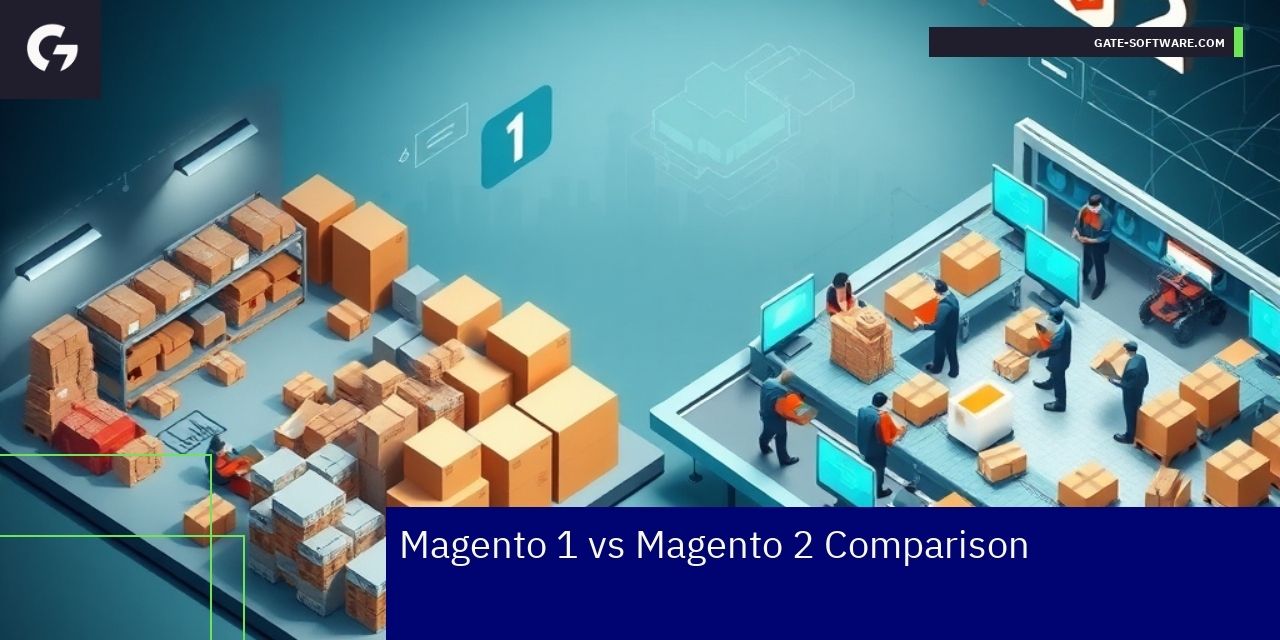
Magento 1 vs Magento 2 Comparison
Key differences and benefits
Magento 2 introduces a modernized architecture that significantly improves performance, scalability, and security compared to Magento 1. It supports enhanced hosting environments and includes built-in support for PHP 7+, which delivers faster page load speeds and improved overall efficiency. From a UiR perspective, Magento 2 offers better UX/UI flexibility, facilitating compliance with WCAG 1.1 standards to ensure accessibility. Enhanced API integrations in Magento 2 allow for more seamless connections with third-party services crucial for business continuity and system interoperability. Moreover, Magento 2’s advanced caching mechanisms and streamlined codebase reduce server load and operational costs, aligning perfectly with Gate-Software strategies for cost optimization and long-term platform sustainability.
Pros and cons of each version
Magento 1, while historically robust, faces challenges due to discontinued official support, which raises concerns around security vulnerabilities and compliance with evolving standards such as WCAG 1.1. Its architecture limits scalability and requires more frequent custom patches, increasing maintenance overhead. Conversely, Magento 2 reduces technical debt with improved modularity and easier upgrade paths, offering better support for multi-store management and enhanced user experience customization. However, migration from Magento 1 to Magento 2 involves upfront investment, including data migration and retraining teams, which must be carefully managed. From a strategic standpoint, continuing Magento 1 poses risks that impact operational continuity, while adopting Magento 2 aligns with Gate-Software’s vision for future-proof, scalable e-commerce platforms tailored for digital growth and optimized UX/UI.
Migration Checklists and Steps
Step-by-step preparation for migration
Careful preparation is crucial to ensure a smooth migration process in UiR environments, which often involve complex integrations and legacy systems. Begin by conducting a thorough audit of the current platform, focusing on MagentoOneS™, hosting environments, and any custom modules or extensions in use. Document existing workflows and dependencies to identify potential risks and technical constraints. Engage key stakeholders early, including the Architect and Head of Applications, to align expectations and responsibilities. Create a detailed migration plan with clear milestones, including data migration, user acceptance testing, and fallback strategies. Consider WCAG compliance and UX/UI requirements to maintain accessibility standards throughout. Leveraging Gate-Software’s expertise in monitoring and SLA management ensures uptime stability and rapid issue resolution during the transition.
Checklist of mistakes to avoid
Avoiding common pitfalls during migration can prevent costly delays and operational disruptions. Do not underestimate the complexity of data migration—accurate mapping and validation are vital to maintain data integrity. Avoid neglecting performance optimization, as new environments may behave differently under load. Ensure that your team is familiar with platform-specific nuances, especially when migrating to or from MagentoOneS™. Misalignment between business and technical teams can lead to overlooked requirements; continuous communication is essential. Skipping comprehensive UX/UI and WCAG audits can result in accessibility compliance failures, risking user dissatisfaction and legal challenges. Finally, do not bypass rigorous testing phases, including security, functionality, and recovery scenarios, which are key to a reliable migration outcome. Following Gate-Software’s strategic guidelines mitigates these risks effectively.
Benefits and Risks of Migration
📝 Notes
🛠️ Actions
🎯 Goals
📝 Notes
🔍 Insights
Alternatives to Magento 2
When considering alternatives to Magento 2 within the UiR service focus, it is crucial to address key technical and business challenges faced by decision-makers such as CTOs, Heads of Applications, and eCommerce Managers. Alternatives should provide robust scalability, cost optimization, and seamless integration with existing infrastructure, all while ensuring compliance with WCAG standards and delivering superior UX/UI experiences.
Other e-commerce platforms to consider must offer flexible architecture that supports complex B2B and e-commerce workflows, similar to those Gate-Software specializes in maintaining. Platforms with strong multichannel capabilities, extensive API ecosystems, and reliable SLA-backed hosting and monitoring are especially valuable. Integration with established systems must be smooth to minimize migration risks and preserve business continuity.
Moreover, solutions should come with comprehensive support models and the possibility of project takeovers, enabling continuity and professional growth of in-house teams. A strategic focus on Sprint delivery and Agile methodologies ensures timely adaptation to dynamic market conditions and aligns with Gate-Software’s communication and brand voice strategies.
In evaluating alternatives, attention should be given to platforms that foster effective content strategy execution, ensure adherence to WCAG 1.1 standards, and support personalized customer journeys. This approach not only optimizes operational costs but also enhances brand visibility in digital channels, aligning with Gate-Software’s marketing and communication plans.
Choosing the right alternative to Magento 2 requires balancing technical architecture demands, UX/UI standards, strategic business goals, and comprehensive support, guaranteeing scalable and sustainable e-commerce success in line with the UiR service objectives.
Benefits and Risks of Migration
Migration within the UiR service context involves significant considerations for decision-makers such as CTOs, Heads of Applications, and eCommerce Managers. Potential benefits of migrating include improved platform scalability, enhanced integration capabilities, and alignment with modern UX/UI standards, leading to better customer experiences and compliance with WCAG 1.1 requirements. Migration can also provide cost optimization opportunities by leveraging cloud hosting and updated monitoring tools, which are crucial for maintaining SLA obligations and ensuring operational continuity.
However, migration carries inherent risks that must be carefully managed. These include potential downtime affecting e-commerce availability, data integrity challenges, and the complexity of adapting legacy architectures to new platforms without disrupting business processes. It is vital to conduct thorough audits and risk assessments, employ tested cooperation models, and engage with experienced specialists familiar with MagentoOneS™ and Gate-Software’s migration frameworks. Mitigating risks involves meticulous project takeover planning, continuous monitoring during transition, and clear communication strategies to stakeholders, aligning with Gate-Software’s values and content strategy guidelines.
By balancing these benefits and risks, organizations can achieve a successful migration that supports strategic growth, compliance, and technological advancement within the UiR scope.
Data and Performance Metrics – Efficiency, SLA, TCO
Operational Effectiveness in UiR Projects
In the realm of Utrzymanie i Rozwój (UiR) services, Gate-Software emphasizes quantifiable metrics that demonstrate the operational effectiveness of its Magento 2 migration projects. Here are several key statistics that highlight our performance and reliability:
1. Project Takeover Time: On average, our team is able to take over maintenance and development of existing projects within two weeks, ensuring a seamless transition and continuity for our clients.
2. Percentage of Projects Delivered on Time: We pride ourselves on our efficiency, with over 95% of our projects being delivered on or ahead of schedule, reflecting our commitment to meeting deadlines.
3. Average TCO Reduction: Companies that migrate with Gate-Software experience an average Total Cost of Ownership (TCO) reduction of approximately 30% within the first year, thanks to optimized infrastructure and efficient resource management.
4. Number of Implementations: Gate-Software has successfully completed over 150 Magento implementations, showcasing our expertise and experience in delivering tailored eCommerce solutions.
5. Uptime SLA: We maintain a rigorous uptime SLA of 99.9%, ensuring that our clients’ platforms remain operational and accessible, which is crucial for eCommerce success.
6. Average Client Relationship Duration: Our client partnerships are built to last, with an average relationship duration of 5 years, reflecting our dedication to long-term support and value creation.
These metrics not only reinforce our operational credibility but also assist decision-makers in evaluating the benefits of partnering with Gate-Software for their eCommerce migration projects. Our focus on measurable outcomes aligns with the strategic goals of CTOs, eCommerce Managers, and other key stakeholders, ensuring operational excellence and enhanced user experiences in their digital transformations.
Summary
In conclusion, migrating to Magento 2 is a vital endeavor that presents both challenges and opportunities for eCommerce businesses navigating the complexities of Utrzymanie i Rozwój (UiR). Gate-Software’s approach emphasizes a meticulous, data-driven strategy designed to mitigate common pitfalls and streamline the migration process. By focusing on critical areas such as planning, resource allocation, data integrity, and user experience, we ensure that businesses can transition smoothly without sacrificing ongoing operations or customer satisfaction.
Your organization stands to benefit significantly from collaborating with Gate-Software. Our dedication to aligning migration outcomes with strategic corporate goals not only optimizes costs but also reinforces system stability and performance. By leveraging our extensive expertise and tailored solutions, you can maximize ROI while adapting to modern eCommerce demands.
We invite you to connect with us to explore how our specialized services can support your Magento 2 migration journey, enhancing both your operational efficiency and user experience. Together, we can achieve a seamless transition that propels your business forward in the digital landscape.

FAQ
How can businesses avoid common mistakes during Magento 2 migration?
To avoid common mistakes during Magento 2 migration, businesses should focus on detailed planning, thorough testing, clear communication with stakeholders, and a proactive approach to data integrity and customization management.
What are the key differences between Magento 1 and Magento 2?
Magento 2 offers enhanced performance, scalability, a modern architecture, and better API integrations compared to Magento 1. It also supports PHP 7+, improving load speeds and efficiency while ensuring compliance with accessibility standards.
Why is data integrity important during the migration process?
Data integrity is crucial during migration as it ensures that all customer and business data remains accurate and accessible. Neglecting this aspect can lead to data corruption, loss, or inconsistencies post-migration, impacting customer trust and business operations.
How does Gate-Software’s UiR service approach Magento 2 migration?
Gate-Software’s UiR service employs a data-driven and partnership-focused strategy that includes detailed audits, comprehensive testing, and a security-first approach, ensuring a seamless migration that aligns with business objectives.
What role do compliance and accessibility standards play during migration?
Compliance and accessibility standards, such as WCAG 1.1, ensure that the new Magento 2 platform is usable for all customers, including those with disabilities. Adhering to these standards during migration helps businesses avoid legal issues and enhances overall user experience.
.
.
Zamów bezpłatną konsultację
.
Z nami rozwój Twojego biznesu nabierze tempa! Zapraszamy do kontaktu średnie i duże firmy generujące min. 7 mln PLN obrotu rocznie – tam nasza ekspertyza sprawdza się najlepiej.
.
Kliknij w poniższy przycisk i skontaktuj się z jednym z naszych konsultantów e-commerce
.