Introduction
Magento 2, as a robust eCommerce platform, offers extensive flexibility and scalability, but it also presents specific technical and business challenges that can impact performance, reliability, and user experience. For CTOs, CDOs, eCommerce Managers, and Heads of Applications, understanding these recurring issues and implementing strategic solutions is critical to maintaining smooth operations and driving growth.
One common problem is performance degradation caused by inefficient caching, suboptimal server configurations, and unoptimized database queries. This can lead to slower page load times, directly affecting conversion rates. Gate-Software’s UiR approach emphasizes advanced monitoring and SLA-driven maintenance to proactively detect and resolve bottlenecks before they impact users.
Another frequent challenge involves managing complex integrations and customizations. Magento 2’s modular architecture allows extensive customization, but improper implementation can lead to system instability and upgrade difficulties. Gate-Software’s expert-guided development and rigorous testing protocols ensure that all customizations align with best practices, preserving system integrity while meeting business needs.
Security vulnerabilities remain a critical concern, with risks ranging from outdated components to improper access controls. Continuous security audits, timely patching, and adherence to WCAG standards for accessibility are cornerstones of Gate-Software’s maintenance strategy, ensuring compliance and safeguarding sensitive data.
Lastly, UX/UI inconsistencies can diminish user engagement and brand perception. Utilizing Gate-Software’s comprehensive UX/UI audit frameworks and persona-driven design processes helps create intuitive, accessible interfaces that comply with WCAG 1.1 standards, enhancing customer satisfaction and retention.
By addressing these key issues with data-driven UiR strategies, businesses minimize risks, reduce operational costs, and sustain competitive advantage in the fast-evolving eCommerce landscape.
TABLE OF CONTENTS
Magento 2 Basics
Magento 2 is a robust eCommerce platform that addresses complex business requirements through its scalable architecture and extensive feature set. Its introduction to the digital commerce world marked a significant evolution in platform capabilities, offering better performance, a more user-friendly admin interface, and enhanced flexibility compared to its predecessor. For decision-makers such as CTOs and Heads of Applications, understanding Magento 2’s framework is essential for leveraging its power in building and maintaining high-performing online stores. The platform supports bespoke integrations, allowing enterprises to tailor functionality precisely to their needs, which is critical in today’s fast-paced eCommerce environments.
Key features and platform capabilities distinguish Magento 2 as a leader in the eCommerce space. Its modular architecture facilitates seamless upgrades and maintenance, reducing operational risks and costs. The platform’s advanced caching mechanisms and optimized database queries improve load times and scalability—crucial for ensuring smooth user experiences during traffic spikes. Magento 2 also offers comprehensive support for mobile commerce and is built with responsiveness in mind, aligning well with WCAG guidelines to improve accessibility. Furthermore, Magento 2 integrates robust tools for content management, personalization, and SEO, essential for enhancing online visibility and customer engagement. These capabilities allow businesses to deliver not only functional but also compelling and compliant digital storefronts tailored to the user journey and conversion goals.
CSS Cache Issues in Magento 2
Common Magento 2 issues related to CSS cache can significantly impact performance. Understanding these problems with CSS cache and how they relate to outdated software is crucial to maintaining a healthy Magento environment. Avoiding Magento issues around CSS cache will lead to smoother operation and less frequent error states.
CSS cache challenges in Magento 2 often result in delayed loading times, improper rendering of styles, and overall degraded user experience. These common Magento 2 issues stem from outdated software components failing to properly refresh CSS cache, leading to old styles persisting despite updates. Understanding these problems with CSS cache is vital for maintaining a healthy Magento environment, as persistent cache errors can cause Magento issues such as layout inconsistencies and slower page performance. Avoiding Magento issues around CSS cache means implementing best practices in cache management and software updates, directly contributing to smoother operation and minimizing the risk of Magento errors or downtime.
Managing Magento Effectively: Cache
How to manage Magento cache effectively is key to preventing Magento cache issues. Efficient Magento management practices address common Magento 2 issues, particularly those involving CSS cache problems, helping avoid typical Magento mistakes and downtime.
Proactive management of Magento cache is essential to prevent cache-related problems, especially those involving CSS files. Ensuring the cache is cleared and refreshed properly after any front-end changes eliminates stale CSS cache issues. Effective Magento management involves using built-in tools such as the Magento Admin Cache Management interface and CLI commands (`php bin/magento cache:clean` and `cache:flush`) to maintain cache integrity. Efficient strategies also include configuring cache settings and CSS merging under Stores > Configuration > Advanced > Developer to optimize performance. These practices help avoid typical Magento mistakes such as leaving cache uncleared during development or deployment, reducing downtime and improving front-end responsiveness.
How to Fix Common Magento 2 Problems: Cache
Fixing issues with Magento cache involves specific strategies. Applying solutions to Magento cache problems and dealing with outdated software will resolve many common Magento problems. Understanding precise approaches to these fixes is essential to reducing Magento errors.
Resolving Magento cache-related problems requires a structured approach. First, static content, including CSS, should be redeployed using commands like `php bin/magento setup:static-content:deploy` to ensure all styles are up to date in the cache. Switching Magento to production mode (`php bin/magento deploy:mode:set production`) helps stabilize cache handling by pre-generating static files. Regular software updates and patches address underlying bugs that cause cache glitches. Clearing browser and Magento cache prevents conflicts between old and new CSS files. Additionally, checking Magento log files in `var/log` can reveal errors connected to CSS cache issues. These precise steps are essential for addressing Magento cache problems and reducing recurring Magento errors.
Learning from Magento 2 Experience: Cache
Learning from Magento 2 experience with cache management reveals insights into avoiding Magento problems, especially CSS cache issues. Drawing from real-world cases helps improve Magento maintenance tips and reduce recurring cache-related errors.
Magento 2 experience highlights that many cache issues arise from misconfigured cache settings or incomplete cache clearing during development and deployment. Real-world cases show that neglecting to clear both Magento and browser cache leads to persistent CSS problems. Maintenance tips include establishing clear cache-clearing protocols integrated into development workflows and using Magento CLI tools for consistent cache management. Empirical evidence also stresses the importance of monitoring upgrades and theme changes that affect CSS files. These learnings guide eCommerce managers and developers toward better cache practices, significantly minimizing Magento problems related to CSS cache and improving platform stability.
Examples of CSS Cache Problems
Examples of CSS cache problems in Magento demonstrate common error patterns and effective problem solutions. Reviewing these examples offers practical advice on resolving Magento cache complications efficiently.
Common examples include CSS styles not updating after theme changes, broken layout displays due to stale cache, and slow page loads from cluttered cache storage. These issues often manifest when static content deploy commands are skipped or when incorrect cache flush procedures are followed. Effective solutions involve a combination of Magento CLI commands for cache management, switching between deployment modes to refresh static files, and ensuring browser caches are cleared during testing. Reviewing these real-life cases offers eCommerce managers and technical teams practical insights into preventing and resolving Magento cache complications, thereby maintaining a performant and visually consistent eCommerce environment.
Disk Space Shortage and Its Effects
Magento Issues to Avoid: Disk Space 🛠️ Troubleshooting Tips 📈 Performance Impact Analysis
Disk space shortages present critical challenges in Magento environments, often triggering various Magento errors and system failures. Understanding the root causes of disk space limitations is essential for preventing these problems. Lack of disk space, combined with outdated software, frequently leads to resource constraints on the server, directly impacting Magento’s performance and uptime. Efficient management of Magento storage, encompassing logs, backups, and cache, must be a priority to prevent severe Magento 2 problems. Proactive monitoring allows teams to detect early warning signs of disk shortages, facilitating timely intervention and ensuring system stability.
Effective Magento Management to Prevent Disk Issues
Preventing disk space issues requires a multi-layered approach in Magento management. This includes setting up automated alerts for disk usage thresholds, scheduling regular cleanup of redundant data, and optimizing storage allocation. These strategies help address one of the most common Magento issues to watch out for, the depletion of disk resources. By integrating disk space management into the broader Magento best practices framework, businesses secure a more stable system, prevent downtime, and improve overall user experience. Consistent maintenance and updates reduce the risk linked to outdated components that might otherwise exacerbate disk space problems.
Learning from Magento 2 Experience: Disk Space
Experience with Magento 2 deployments provides valuable insights into the need for proactive disk space administration. Real-world cases reveal that neglecting storage management often leads to cascading system failures that disrupt business operations. Studying these scenarios aids in identifying critical Magento issues to avoid, such as storage overflows during peak load times or backup failures. Implementing lessons learned from past Magento 2 projects improves troubleshooting tactics and enhances planning for scalable storage solutions, ultimately strengthening the operational resilience of Magento-powered platforms.
Alternatives for Disk Space Solutions
Exploring alternatives for mitigating disk space constraints allows Magento managers to optimize resources effectively. These alternatives may include leveraging cloud-based storage solutions, implementing storage tiering, or adopting content delivery networks (CDNs) to offload data. Such approaches help alleviate disk space problems without compromising system performance. Furthermore, they support streamlined maintenance efforts by reducing manual interventions required for local storage management. Diversifying disk space solutions contributes to a more flexible Magento ecosystem, capable of adapting to evolving business needs and traffic demands.
Security Problems in Magento 2
Fixing Magento Security Issues
Addressing security problems in Magento 2 requires targeted strategies to mitigate vulnerabilities that arise from software defects or misconfigurations. Fixing common Magento 2 problems around security involves regularly applying patches, using strong authentication methods, and ensuring compliance with WCAG standards to protect accessibility without compromising security. Implementing Gate-Software’s recommended Magento maintenance best practices helps prevent unauthorized access and data breaches. Proactive monitoring and timely updates reduce exposure to known exploits, minimizing downtime and maintaining the integrity of e-commerce operations.
Magento Issues to Avoid: Security
Key Magento security issues to avoid include outdated software versions, weak password policies, and improperly configured permissions, all of which increase the risk of cyberattacks and data leakage. Keeping Magento components current is essential, as outdated software often exposes known vulnerabilities that hackers exploit. Understanding the connection between software obsolescence and security risks enables technical decision-makers like CTOs and Heads of Applications to establish effective mitigation strategies and maintain a resilient Magento environment.
Managing Magento for Better Security 🛡️ 🔐
Effective Magento management combines continuous vulnerability assessments, strict access control, and adherence to industry security standards. This comprehensive approach enhances the platform’s defense posture by integrating both technical fixes and procedural improvements based on Gate-Software’s UiR-focused methodologies. Magento owners benefit from detailed monitoring and automated alerting systems to detect anomalies early and respond swiftly. Comprehensive maintenance aligned with best Magento maintenance tips ensures sustained protection against emerging threats.
Magento 1 vs Magento 2 Security Comparison
Comparing Magento 1 vs Magento 2 security highlights significant improvements in the newer platform, including enhanced default security settings, better encryption methods, and improved support for compliance standards such as WCAG 1.1. Despite these advances, Magento 2 still requires diligent security management to address its unique challenges, like third-party integrations and complex customizations. Decision-makers overseeing migration projects and ongoing Magento management gain valuable insights from this comparison to evaluate risk, prioritize resources, and plan for long-term security sustainability.
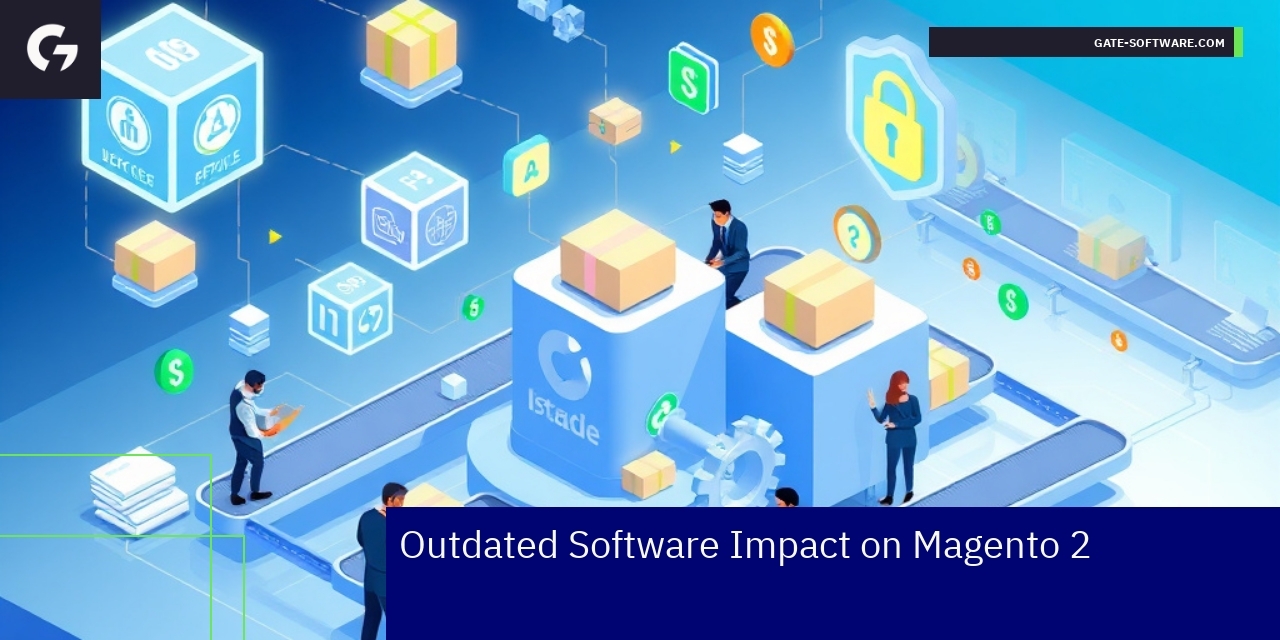
Disk Space Shortage and Its Effects
Magento Issues to Avoid: Disk Space
Disk space shortages present critical challenges in Magento environments, often triggering various Magento errors and system failures. Understanding the root causes of disk space limitations is essential for preventing these problems. Lack of disk space, combined with outdated software, frequently leads to resource constraints on the server, directly impacting Magento’s performance and uptime. Efficient management of Magento storage, encompassing logs, backups, and cache, must be a priority to prevent severe Magento 2 problems. Proactive monitoring allows teams to detect early warning signs of disk shortages, facilitating timely intervention and ensuring system stability.
Effective Magento Management to Prevent Disk Issues
Preventing disk space issues requires a multi-layered approach in Magento management. This includes setting up automated alerts for disk usage thresholds, scheduling regular cleanup of redundant data, and optimizing storage allocation. These strategies help address one of the most common Magento issues to watch out for, the depletion of disk resources. By integrating disk space management into the broader Magento best practices framework, businesses secure a more stable system, prevent downtime, and improve overall user experience. Consistent maintenance and updates reduce the risk linked to outdated components that might otherwise exacerbate disk space problems.
Learning from Magento 2 Experience: Disk Space
Experience with Magento 2 deployments provides valuable insights into the need for proactive disk space administration. Real-world cases reveal that neglecting storage management often leads to cascading system failures that disrupt business operations. Studying these scenarios aids in identifying critical Magento issues to avoid, such as storage overflows during peak load times or backup failures. Implementing lessons learned from past Magento 2 projects improves troubleshooting tactics and enhances planning for scalable storage solutions, ultimately strengthening the operational resilience of Magento-powered platforms.
Alternatives for Disk Space Solutions
Exploring alternatives for mitigating disk space constraints allows Magento managers to optimize resources effectively. These alternatives may include leveraging cloud-based storage solutions, implementing storage tiering, or adopting content delivery networks (CDNs) to offload data. Such approaches help alleviate disk space problems without compromising system performance. Furthermore, they support streamlined maintenance efforts by reducing manual interventions required for local storage management. Diversifying disk space solutions contributes to a more flexible Magento ecosystem, capable of adapting to evolving business needs and traffic demands.
Summary
In conclusion, embracing Hyva within your Magento environment offers an effective pathway to enhancing your e-commerce platform’s performance, user experience, and maintainability. Hyva’s modern architecture and modular design contribute significantly to faster loading times, which in turn boosts user engagement and conversion rates. By simplifying front-end customization, Hyva also enables quicker development cycles, allowing businesses to adapt to changing market demands seamlessly. The strategic integration of Hyva with Gate-Software’s robust MagentoOneS™ solutions ensures that you not only meet but exceed customer expectations in today’s competitive landscape. As you consider the future of your online store, reaching out to explore how Hyva can transform your operations could be your next step towards achieving greater efficiency and business growth. Gate-Software stands ready to partner with you on this journey, leveraging our expertise for a smoother transition and sustained success.
Summary

Summary
In conclusion, engaging with Gate-Software’s UiR service offers significant value to your eCommerce operations on Magento 2. We understand the complex challenges that arise in maintaining performance, security, and user experience on this robust platform. Our proactive approach to issues such as caching inefficiencies, disk space shortages, and security vulnerabilities positions your business to minimize risks effectively. By leveraging advanced monitoring and maintenance strategies tailored to your unique requirements, you can ensure operational continuity and enhance customer satisfaction. We invite you to reach out to our team to explore how we can support your Magento environment, providing the expert guidance and solutions necessary to drive your eCommerce success. Let’s partner together to elevate your digital commerce strategy.

FAQ
What are the common performance issues faced in Magento 2?
Common performance issues in Magento 2 include performance degradation due to inefficient caching, suboptimal server configurations, and unoptimized database queries, which can lead to slower page load times and affect conversion rates.
How does Gate-Software’s UiR approach improve Magento performance?
Gate-Software’s UiR approach emphasizes advanced monitoring and SLA-driven maintenance to proactively detect and resolve bottlenecks, ensuring that performance issues are addressed before they impact users.
What strategies can be used to manage disk space effectively in Magento 2?
Effective disk space management strategies include setting up automated alerts for disk usage, scheduling regular cleanups of redundant data, and optimizing storage allocation to prevent performance degradation and potential service interruptions.
Why is regular software updating important for Magento 2?
Regular software updates are crucial for maintaining security, performance, and compatibility with the latest extensions. They help mitigate risks associated with outdated components and can prevent common Magento errors.
How do UX/UI inconsistencies affect Magento 2’s user engagement?
UX/UI inconsistencies can lead to diminished user engagement and negatively impact brand perception. Ensuring a consistent and intuitive interface through comprehensive UX/UI audits enhances customer satisfaction and retention.
.
.
Zamów bezpłatną konsultację
.
Z nami rozwój Twojego biznesu nabierze tempa! Zapraszamy do kontaktu średnie i duże firmy generujące min. 7 mln PLN obrotu rocznie – tam nasza ekspertyza sprawdza się najlepiej.
.
Kliknij w poniższy przycisk i skontaktuj się z jednym z naszych konsultantów e-commerce
.